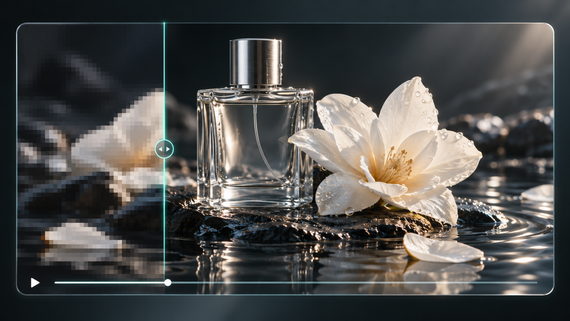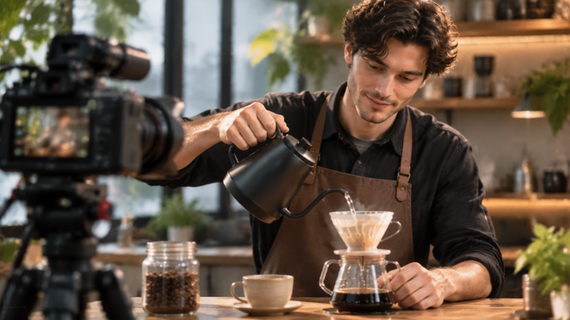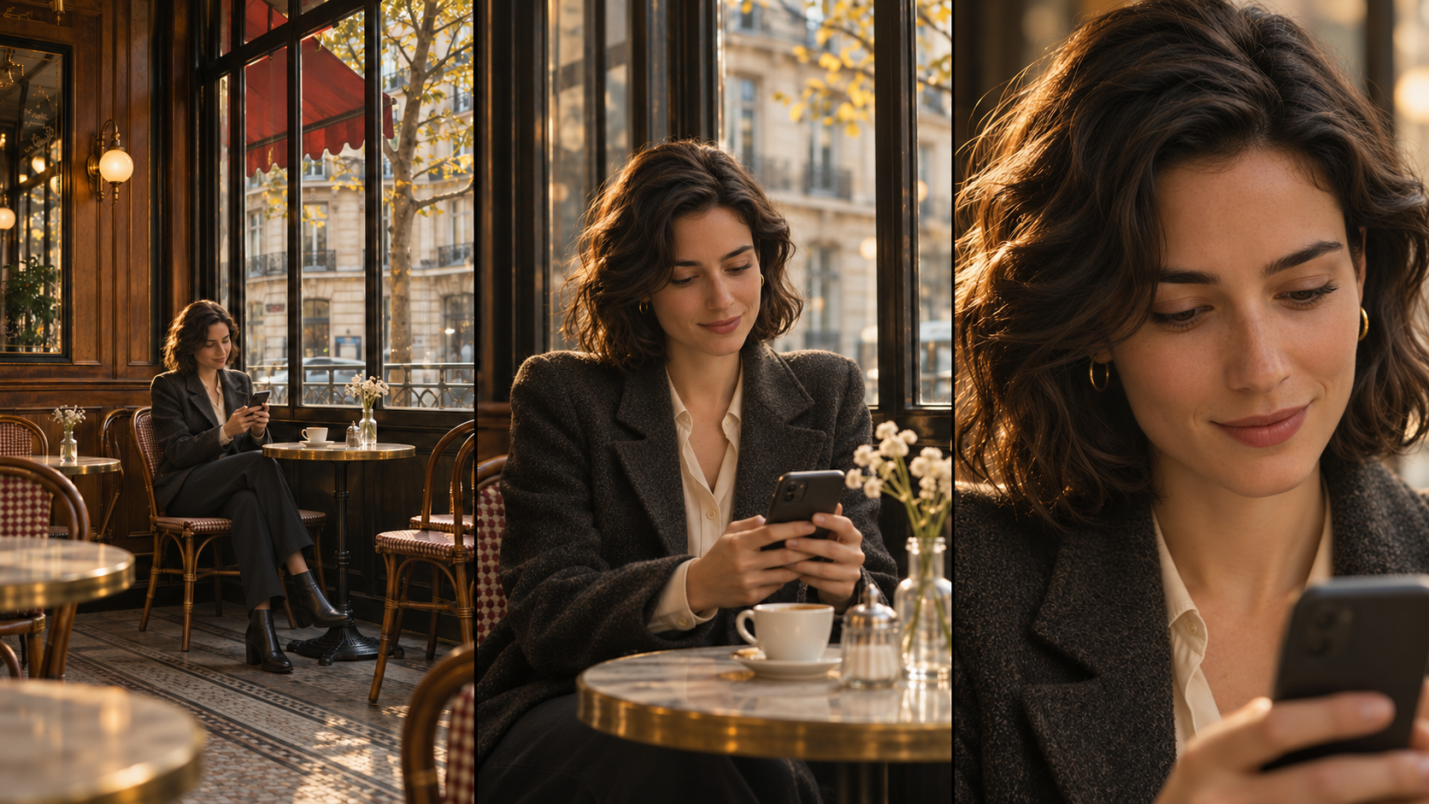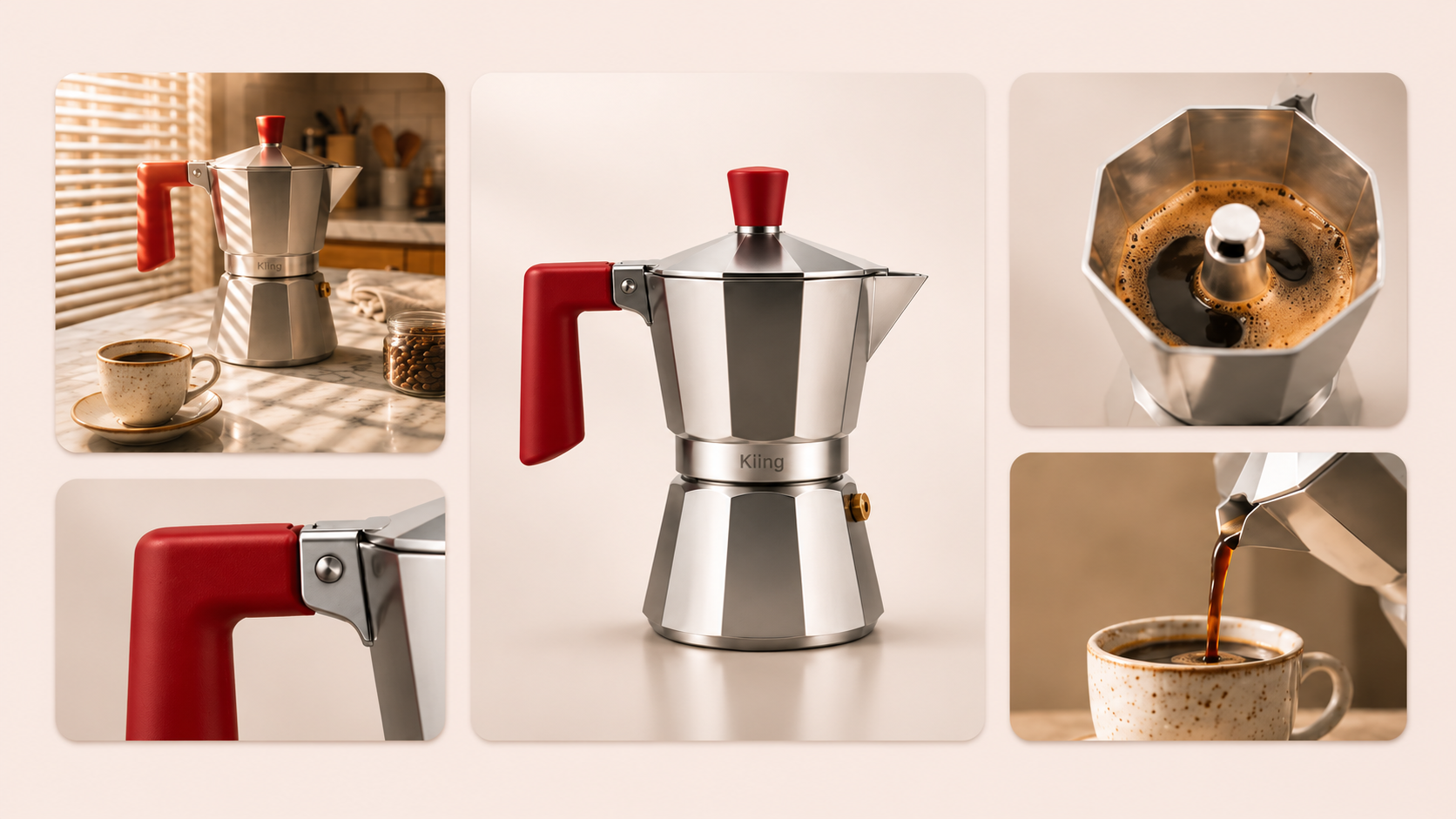
Creative automation helps teams produce marketing materials more efficiently by combining reusable assets, predefined rules, and AI-powered tools. From campaign graphics to product images and promotional videos, this creative automation guide explores its benefits, applications, and practical workflows.
What Is Creative Automation?
Creative automation uses software, templates, and predefined rules to simplify repetitive design and content production. Teams can reuse approved layouts, images, and brand elements to create campaign variations without starting from scratch.
For example, a retailer can adapt one advertising design by changing product images, headlines, promotional messages, or dimensions while maintaining a consistent visual direction.
Common applications include:
- Advertising: Creating ad variations with different images, headlines, and calls to action.
- Social Media: Adapting campaign graphics to different platforms and content formats.
- Product Marketing: Preparing product visuals and promotional materials for launches.
- Brand Communications: Reusing approved visual elements across recurring campaigns.
Traditional creative automation primarily focuses on adapting existing assets. Generative AI has since expanded the production process, allowing teams to create original images and videos alongside their existing designs.
How Is AI Changing Creative Automation?
Traditional creative automation and AI-powered creative production complement each other. While traditional automation helps teams reuse and adapt existing assets, generative AI makes it easier to create new visual content without starting from scratch.
Comparison | Traditional Creative Automation | AI-Powered Creative Production |
Starting Point | Templates and existing assets | Text prompts and visual references |
Production | Adapts existing designs | Generates new images and videos |
Variations | Changes predefined elements | Explores different visual concepts and compositions |
Typical Output | Resized ads and updated layouts | Product imagery, campaign visuals, and promotional videos |
Imagine an e-commerce brand preparing a product launch. Templates can adapt approved product photos into ads and social media posts, while AI image generation helps create new product settings, lifestyle visuals, and promotional graphics from shared references. AI can also turn these visual assets into dynamic product demonstrations and video advertisements, reducing the need for repeated photoshoots and video production.
At Kling AI, we bring image and video generation and editing together on one platform to support more efficient creative workflows. Our image model, Kling Image 4.0, helps teams create coordinated marketing visuals, while our video model, Kling 4.0, turns creative concepts and existing assets into engaging video content. Here's how both models can support AI creative automation.
Scale Marketing Image Production with Kling Image 4.0
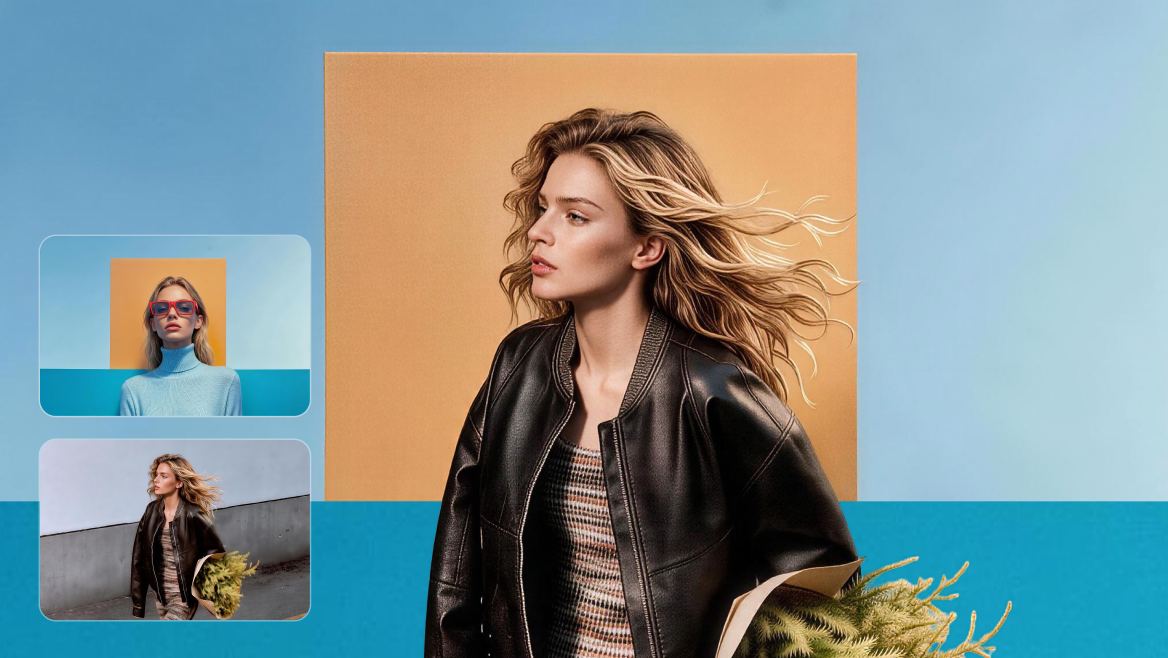
Creating product images, promotional graphics, and campaign visuals often involves repeated photography, design, and layout adjustments. Kling Image 4.0 helps streamline these tasks with enhanced visual realism and native 8K image generation, delivering natural lighting, realistic skin textures, and detailed product materials suitable for high-resolution marketing displays.
With Series Mode, you can generate up to 10 related images from a single prompt while maintaining a consistent product appearance and visual style. From product hero shots and detail images to lifestyle photography, a complete collection of marketing visuals can be developed with fewer repetitive operations. Long-form image generation also helps create e-commerce product detail pages and web page designs with cohesive visual layouts.
For text-rich marketing materials, Kling Image 4.0 supports up to 2,000 characters in a single image, offers 70+ commercially licensed fonts, and accepts font reference images. Its enhanced understanding of complex prompts, with inputs of up to 15,000 tokens, allows teams to specify product details, brand colors, typography, composition, and promotional messaging within a single creative brief.
Streamline Video Creative Production with Kling 4.0
Producing video variations for different products, audiences, and campaigns can require repeated creative planning, filming, and editing. With Kling 4.0, our AI video generator helps teams streamline these tasks through more controllable, reference-guided video creation.
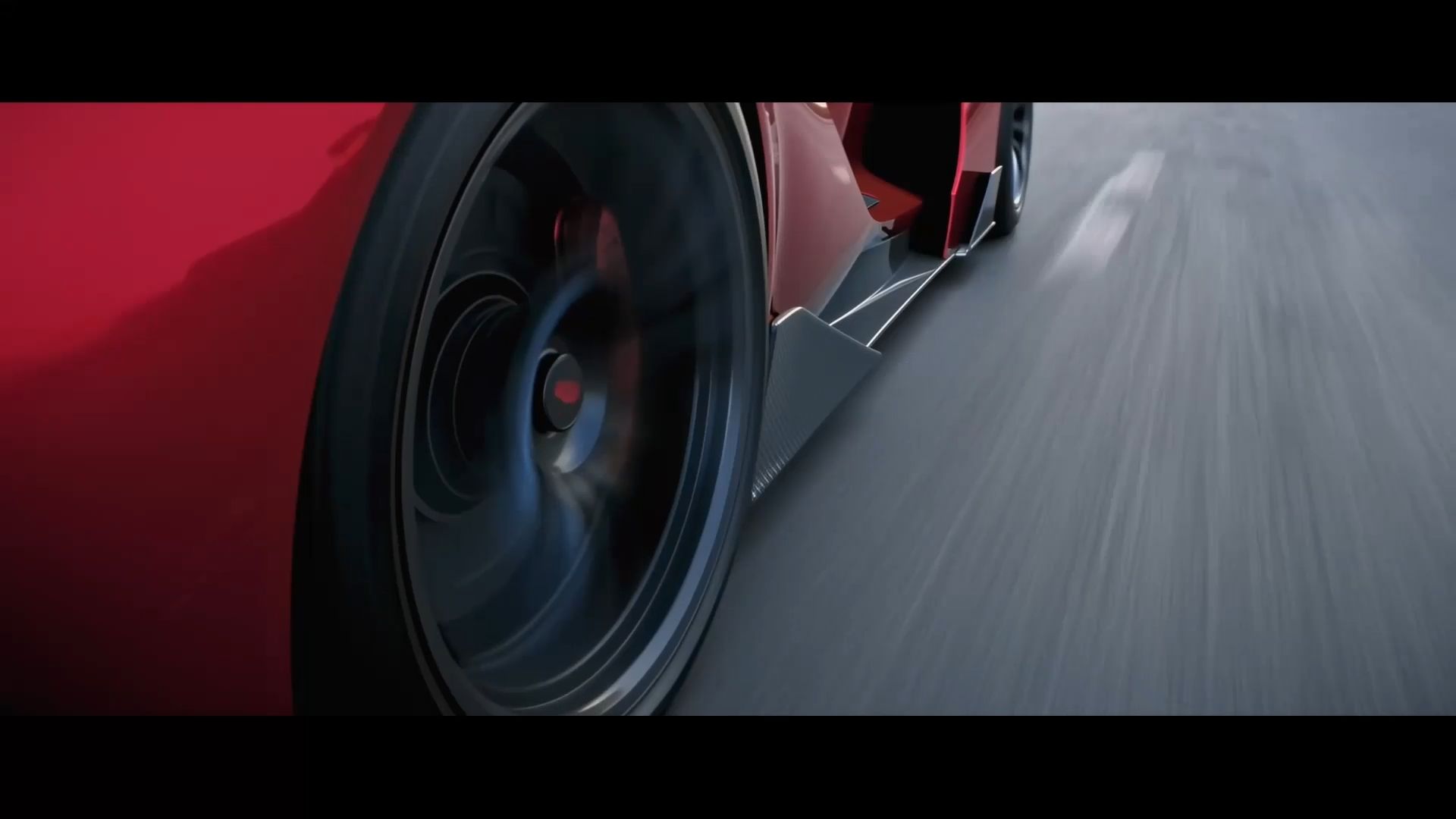
Omni Reference supports up to 15 reference assets, including images, videos, Elements, and voice references, helping maintain product and character consistency across generated content. By referencing the narrative pacing, shot composition, camera movements, and presentation style of existing videos, teams can adapt proven creative concepts to their own products without planning every video from scratch. This is particularly useful for producing social media content, video ads, fashion and beauty showcases, and consumer electronics demonstrations.
Kling 4.0 also delivers more stable large-scale motion and complex camera movements, making dynamic product presentations more natural. With up to 30 seconds of video generation, up to 10 keyframe images, and prompts of up to 8,000 tokens, teams can plan product reveals, feature demonstrations, scene transitions, and promotional narratives with greater precision and a director's level of creative control.
Its video editing capabilities also allow teams to refine selected visual details, replace products or backgrounds, and adjust camera movements without rebuilding the entire video. Support for multiple languages further helps brands develop promotional content for different regional audiences, making creative production and localization more efficient.

What Are the Benefits of Creative Automation and Who Benefits?
Creative automation helps marketing teams manage recurring production demands while making better use of their existing creative resources. Its value extends beyond generating more assets.
Key Benefits of Creative Automation
Reduce Repetitive Work
Reusable templates and AI-assisted production reduce repeated preparation and design tasks. Teams can spend more time developing campaign concepts instead of rebuilding similar materials.
Maintain Brand Consistency
Approved product references, brand colors, and visual guidelines help keep campaign assets recognizable across different channels and formats.
Explore More Creative Variations
Teams can develop alternative product presentations, backgrounds, compositions, and advertising concepts. These variations provide more options during creative planning and campaign testing. For example, teams can explore different product settings with an AI background generator, creating alternative campaign visuals without changing the product itself.
Scale Content Production
A structured workflow makes it easier to prepare materials for multiple products, audiences, and marketing channels without treating every request as a separate project.
Who Can Benefit from Creative Automation?
- Marketing Teams: Produce recurring campaign graphics, advertising variations, and promotional videos across multiple channels.
- E-commerce Businesses: Develop product images, coordinated product visuals, and product detail page content for online stores.
- Creative Agencies: Manage visual production requirements across different clients and brand identities.
- Small Businesses: Prepare marketing materials with fewer repetitive design tasks and more reusable resources.
- Content Creators: Turn campaign concepts and existing visual assets into different image and video formats.
Creative automation is particularly useful when content production involves recurring requirements. Teams with frequent launches, multiple product lines, or several marketing channels can benefit from a more organized approach.
Where Is Creative Automation Used in Marketing?
Creative automation for marketing supports different stages of campaign production. Its applications depend on the content teams need and the channels they use.
Marketing Application | How Creative Automation Helps |
Social Media Campaigns | Produces related visuals and videos for different social platforms. |
Paid Advertising | Develops alternative advertising concepts, headlines, and visual treatments. |
Product Launches | Creates product presentations, campaign graphics, and promotional videos. |
E-commerce | Produces product images, coordinated image sets, and product detail page visuals. |
Localization | Adapts creative materials and messaging for different regional audiences. |
Creative Testing | Generates controlled variations for comparing different creative approaches. |
For example, a skincare brand launching a new product might need product photography for its online store, lifestyle images for social media, and a short promotional video for advertising. A suitable creative automation tool can help the team develop these assets from shared product references. With image-to-image generation, the team can also develop new visual variations from existing product photos.
A coordinated workflow can use the same approved product references and brand guidelines across these materials. Templates handle recurring layouts, while AI image and video generation help develop new campaign visuals.
How to Build a Creative Automation Workflow with Kling AI
A creative automation workflow connects existing brand assets with new campaign materials. Kling Image 4.0 helps develop coordinated product images, while Kling 4.0 lets you reuse established video concepts to create new promotional content.
Create Marketing Images with Kling Image 4.0
Kling Image 4.0 supports both standalone image generation and coordinated image series. Marketing teams can create individual promotional visuals or develop a complete set of product images, lifestyle scenes, and campaign graphics with a consistent visual direction.
Step 1: Prepare Your Reference Materials
Open Image Generation and select Kling Image 4.0. Upload up to 10 reference images as needed, such as product photos, model images, or brand visuals. Choose clear references that capture the product's appearance, key design details, and desired visual style.
Step 2: Describe Your Marketing Image Requirements
Describe the subject, setting, lighting, composition, and any text or layout requirements. For an image series, specify the number of images, describe the scene or angle for each image, and define which product details and visual styles should remain consistent. Request separate images rather than a collage.
Step 3: Select Output Settings and Generate
Choose Default Mode for standalone images or Series Mode for a coordinated set of up to 10 images. Select your desired resolution, aspect ratio, and output quantity. Generate and review the results for product accuracy, visual quality, and brand consistency.
Kling Image 4.0 supports native 8K generation for standard images. You can also use long-form image generation to create e-commerce product detail pages and web page designs, with e-commerce long-form output limited to 2K.
Reference Image 1 | Reference Image 2 | Output Image |
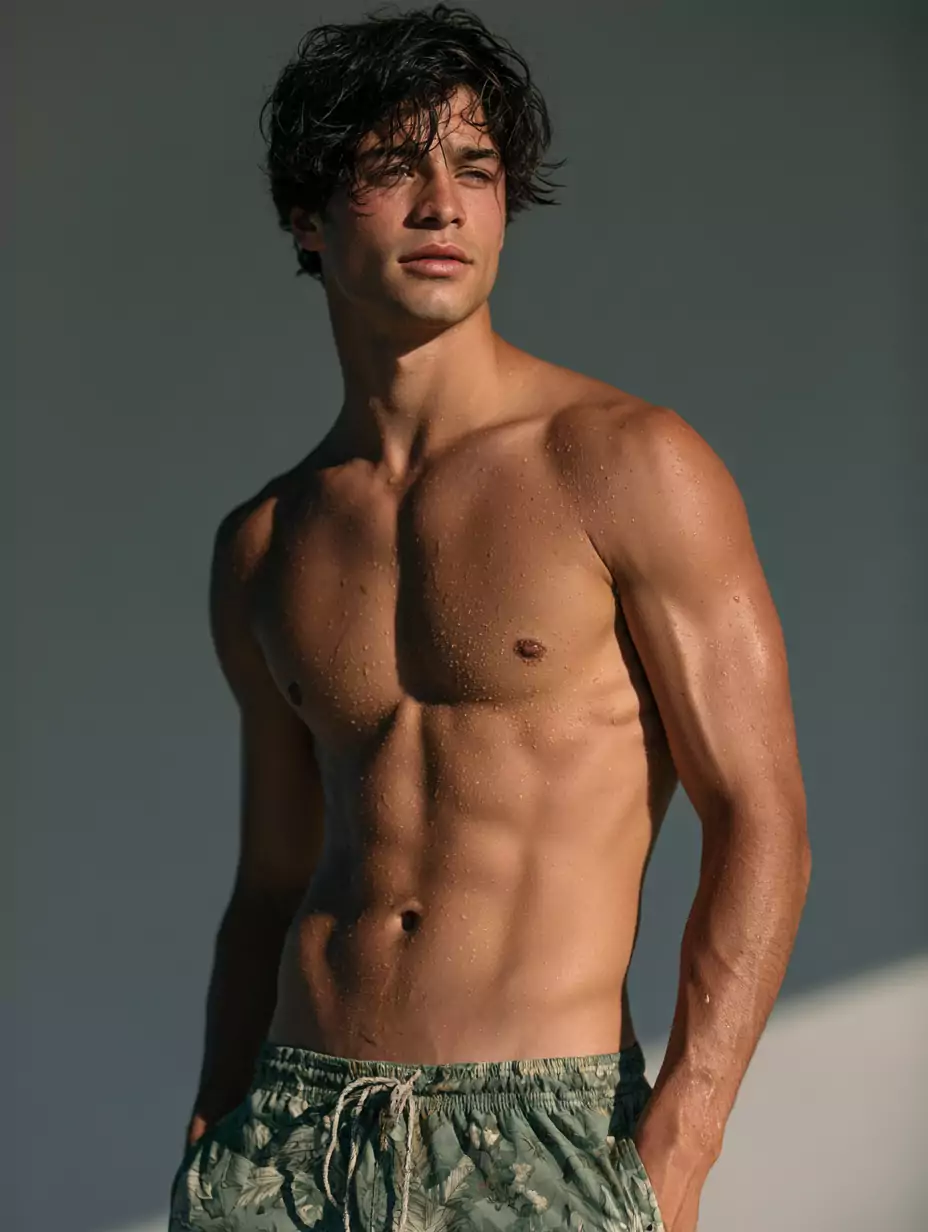 | 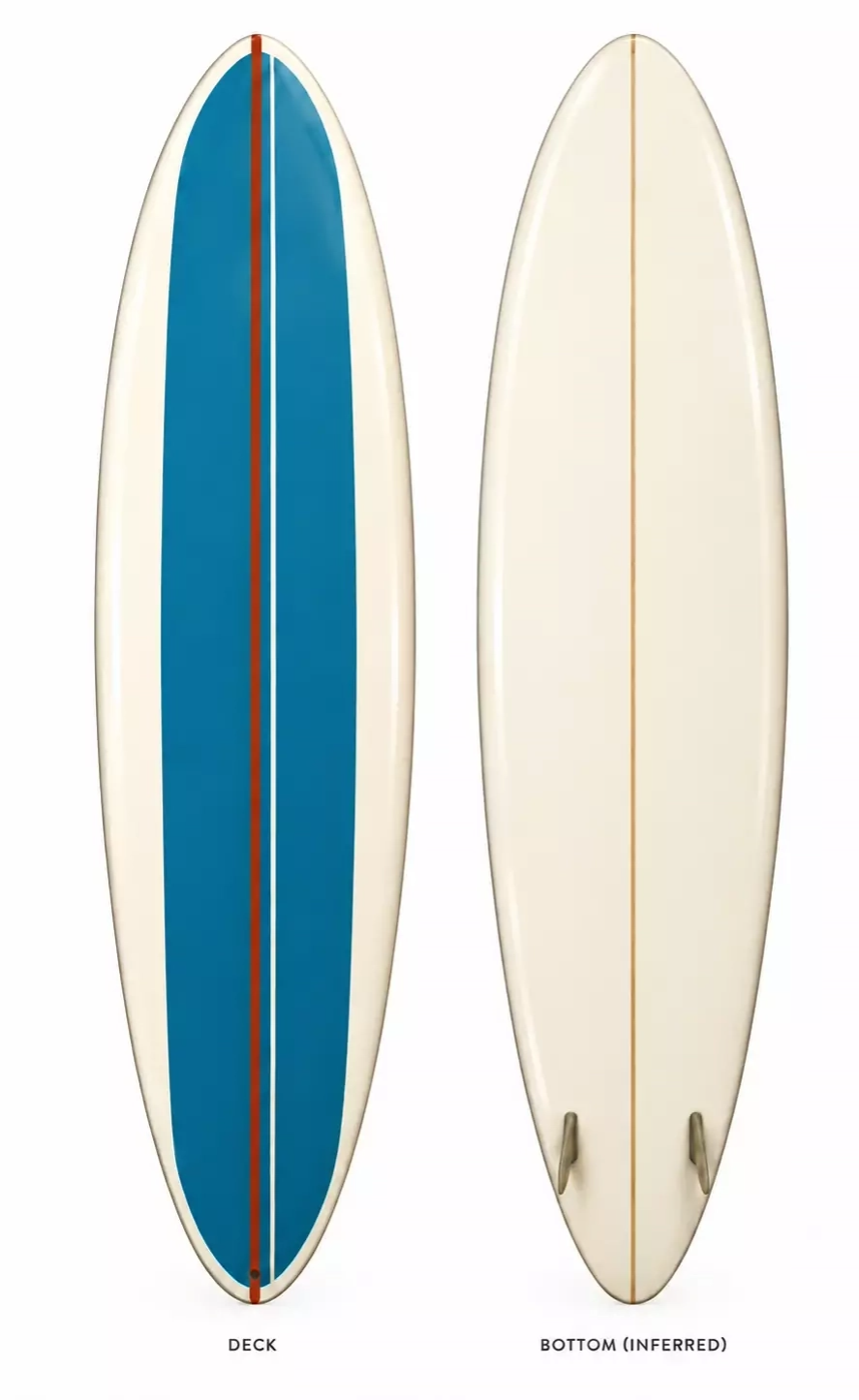 | 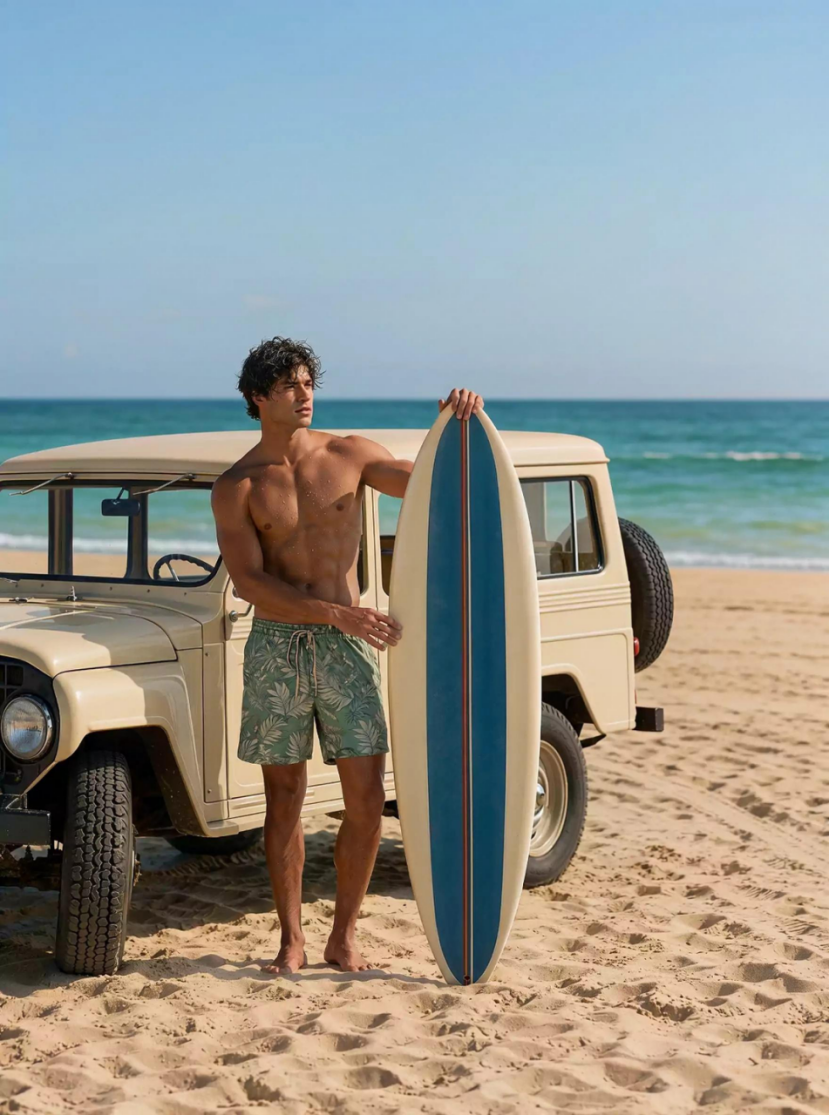 |
Prompt: Using the retro blue, white, and red striped surfboard in Image 2 as the featured product and the man in Image 1 as the model, plan a complete set of e-commerce product images. Include: 1. A front-facing hero shot against a solid-color background. 2. Side and bottom views showcasing the surfboard's structure. 3. Close-up shots highlighting the deck texture and tail fin details. 4. An infographic featuring the surfboard's dimensions and material specifications. 5. An action shot of the surfer riding waves in the ocean. 6. Outdoor lifestyle shots featuring beach and car-transport scenarios. 7. A product accessories and storage display. Use a fresh coastal palette of ocean blue and warm sand tones throughout. Highlight the retro design, lightweight durability, stable handling, and professional sporting appeal. Do not create a collage. Each image must be a separate, standalone image. | ||
Create Promotional Videos with Kling 4.0
Once your campaign visuals are ready, Kling 4.0 helps turn them into dynamic promotional videos. With Omni Reference, you can use existing product images to create new scenes or reference established video concepts to develop new campaign variations without starting from scratch.
Step 1: Select Kling 4.0 and Add Your References
Open Video Generation and select Kling 4.0. Under Omni Reference, upload product images, character references, or existing promotional videos. You can combine up to 15 reference assets, including images, videos, Elements, and voice references.
Step 2: Describe Your Video Concept
Use @ to reference uploaded assets and describe the desired product presentation, actions, camera movements, and narrative pacing. When adapting an existing video, specify which elements to preserve and which products or characters to replace.
Step 3: Generate, Review, and Refine Your Video
Select your desired aspect ratio, duration, and output quality, then generate the video. Review product consistency, movement, camera transitions, and overall presentation. Refine your prompt or reference materials as needed.
Reference Image 1 | Generated Video | Prompt |
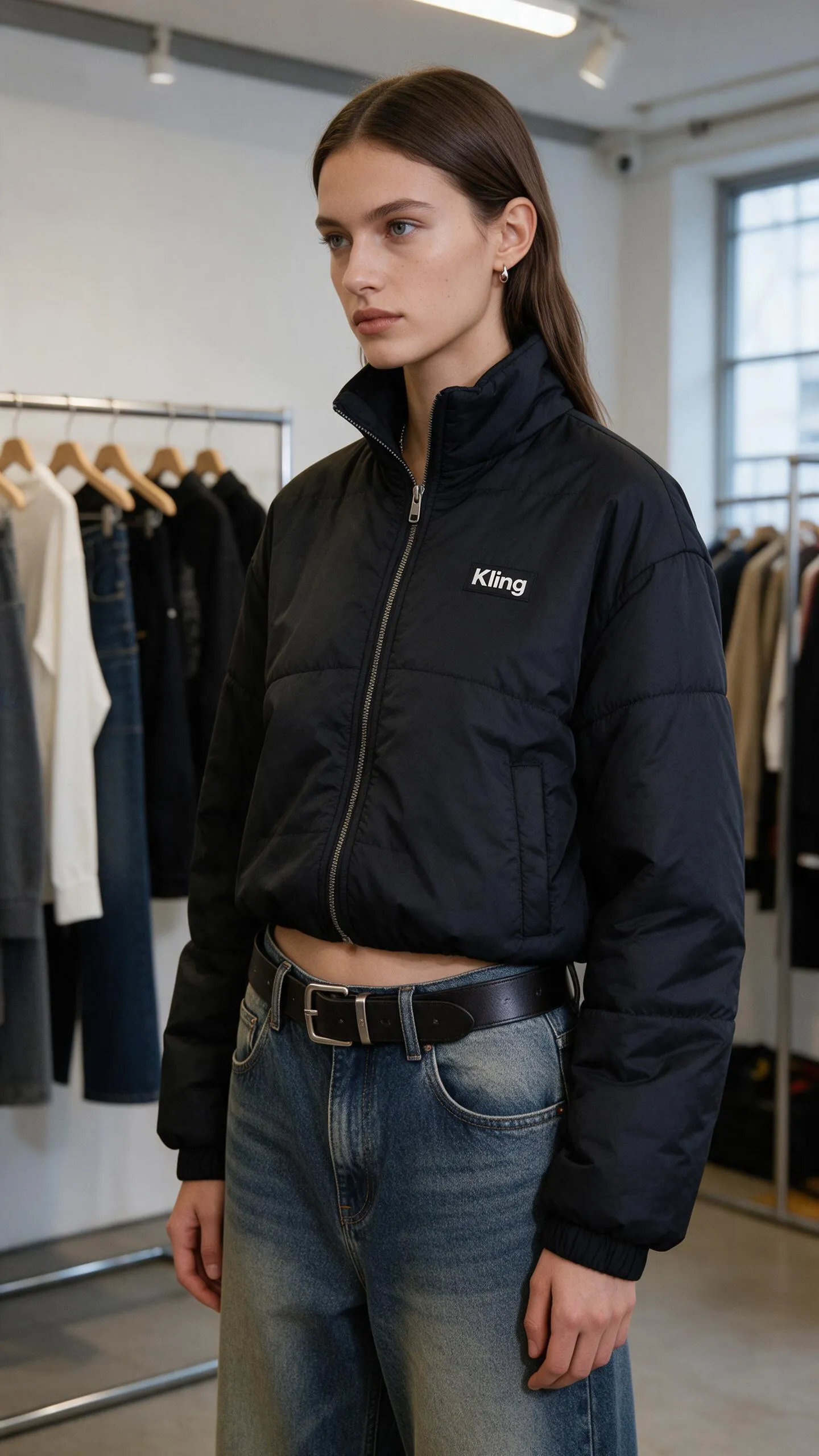 | 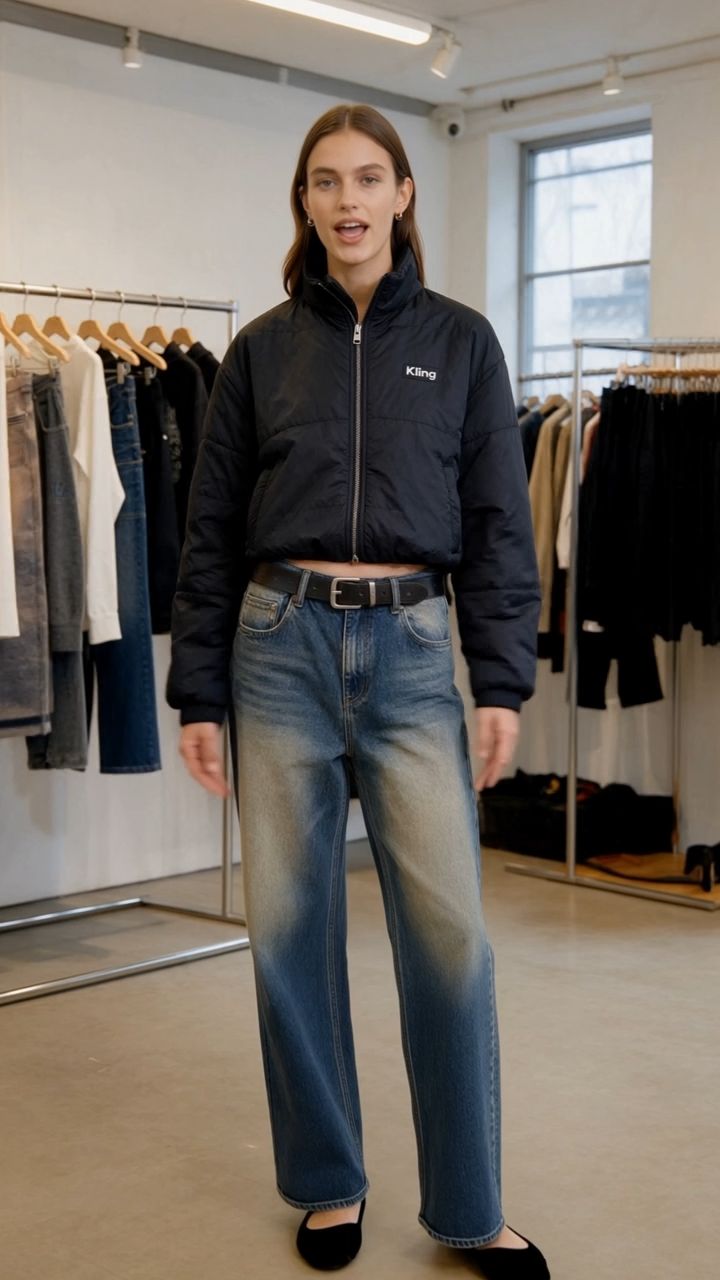 | 1. SCENE CONTEXT EXACT 1 HUMAN CHARACTER — NO DUPLICATES. A woman enthusiastically presents the black Kling cropped puffer jacket she is wearing inside a minimalist fashion showroom. She maintains warm, confident eye contact with the camera while demonstrating the collar, chest logo, quilted construction, cropped silhouette, and pockets. One continuous 15-second vertical fashion shot.2. ACTIVE REFERENCES@image1 controls the woman’s exact identity, straight brown hair, blue eyes, small earrings, black Kling cropped puffer jacket, high collar, silver zipper, white chest logo, quilted panels, elastic cuffs, side pockets, loose blue jeans, black belt, showroom racks, window, and vertical composition. Preserve every detail exactly. 3. LOCATION MAP: The woman remains centered between two clothing racks. The left rack stays behind frame-left, the second rack remains in the rear-right, and the large window stays on frame-right. The camera remains directly in front of her and moves only slightly toward her left side. 4. FIRST FRAME AND SPATIAL BLOCKING: Match the reference composition. She stands in a relaxed three-quarter position with both arms resting naturally beside her body. The complete jacket, waistline, belt, and upper jeans remain visible. Her head turns toward the camera and her eyes lock naturally onto the lens. 5. FORMAT MODE: One uninterrupted 15-second vertical 9:16 shot. No cuts, fades, dissolves, speed ramps, wardrobe transformations, location changes, or duplicated poses. 6. OPTICS: 50mm equivalent lens with a 40° horizontal field of view. Medium fashion framing keeps her eyes, facial expression, collar, logo, zipper, sleeves, hem, pockets, and waistline readable. Moderate depth of field softly separates her from the clothing racks. 7. CAMERA: A human operator stands approximately two and a half meters away at chest height and performs one slow handheld clockwise arc of less than one meter. Breathing drift, small footsteps, slight roll, and delayed reframing remain visible. The camera never becomes mechanically stabilized or crops out the jacket hem. 8. ACTION TIMING 0.0–2.0s: She finds the lens, takes a light anticipatory breath, and forms a genuine welcoming smile.2.0–5.5s: While beginning her sentence, she touches the structured collar and follows the zipper downward with her fingertips, keeping her eyes on the lens.5.5–8.5s: Her voice becomes more animated as her hand pauses beside the white Kling logo and her free hand opens in a small expressive gesture.8.5–11.5s: She turns into a three-quarter side profile, slips both hands into the pockets, and looks back toward the lens with a confident smile.11.5–15.0s: She faces forward again, relaxes her shoulders, and finishes the presentation with bright eyes and a warm, satisfied expression. 9. PHYSICS The padded jacket compresses naturally beneath her fingertips and recovers after release. Quilted panels retain consistent volume. Sleeves bend and crease at the elbows, while the cropped hem shifts during her turn and settles under gravity. Hair and earrings respond with small delayed movement. 10. LIGHTING: Soft daylight from the large window on frame-right is the single motivated key source. It creates restrained highlights across her eyes, hair, black fabric, silver zipper, and cheekbones while preserving detail in the quilted panels. Ceiling track lights remain subtle background practicals. 11. AUDIO: Layered showroom ambience: quiet room tone, distant ventilation, soft jacket rustle, zipper contact, jeans movement, and restrained footsteps. In a sincere, emotionally engaged English voice, she says: “I honestly love this Kling jacket—the cropped fit feels so confident, and it goes with everything.” Begin with warm appreciation, emphasize “love” and “confident,” then finish with an audible smile. Her lips, breath, expression, and garment gestures synchronize exactly with the sentence. SFX only, no music, no score, no song, no soundtrack. 12. CHARACTER ACTING: She speaks as someone genuinely excited by how the jacket makes her feel. Her eyes stay connected to the lens with living highlights and irregular natural blinks. Her eyebrows lift slightly on “love,” her cheeks rise on “confident,” and her final smile reaches both eyes. She never looks down at the garment while speaking; her hands locate each feature naturally through touch. INNER, UNSPOKEN: “This feels completely like me.” 13. STYLE: Minimal contemporary fashion content captured by an imperfect human companion. Clearly handheld intimacy, old-photograph softness, organic film grain, restrained contrast, natural fabric texture, gentle window halation, and no digital sharpening. Color balance: 60% black and charcoal, 25% cool white showroom tones, 15% faded blue denim and natural skin. 14. QUALITY The woman’s identity, eye color, hairstyle, earrings, jacket geometry, quilted panels, collar, zipper, cuffs, pockets, jeans, and belt remain consistent. The white Kling wordmark remains correctly spelled, stable, and attached to the same chest position. Eyes, lips, hands, fingers, sleeves, and fabric folds remain anatomically coherent. 15. POSITIVE CONSTRAINTS: Exactly one woman wears exactly one black Kling jacket throughout the shot. She maintains direct lens connection while speaking and looks back toward the lens during the side pose. She speaks exactly one emotional English passage and performs one continuous garment presentation. The jacket remains fully zipped and its logo stays visible during front-facing moments. Add no second person, clothing change, subtitle, price, promotional overlay, mirror reflection, music, or runway movement. A flat, emotionless delivery, wandering eyeline, malformed wordmark, changing jacket length, extra limb, or fabric passing through her body equals a failed shot. |
The End
Creative automation helps marketing teams manage recurring production tasks, develop more content variations, and maintain a consistent creative direction. Traditional templates and predefined rules remain useful for adapting existing assets, while generative AI extends the process to include the creation of original images and videos.
A practical workflow starts with clear campaign requirements, approved brand references, and the right production tools. With Kling Image 4.0 and Kling 4.0, teams can create coordinated marketing images and promotional videos, then review the results before using them in campaigns.
FAQs
What Are Some Effective Marketing Tools for Creatives?
Creative teams can combine AI image and video generation tools with design, project management, and marketing platforms. Kling AI supports visual production through Kling Image 4.0 for campaign images and Kling 4.0 for promotional videos. Teams can use these alongside their existing tools for campaign planning, collaboration, and distribution.
Which Is the Best Marketing Automation Tool?
The best tool depends on which part of marketing you want to automate. For visual content production, Kling AI helps teams create product images, campaign visuals, and promotional videos. For email campaigns, customer management, and automated distribution, teams need tools designed for those specific tasks. A combination of specialized tools can support a more complete marketing workflow.
Which AI Tool Is Better for Automation?
Different AI tools serve different production needs. Kling AI is suited to visual creative production, with Kling Image 4.0 supporting image generation and related image series, while Kling 4.0 supports reference-guided video generation and editing. Choose tools according to the assets you need to produce and how they fit into your existing workflow.
What Are the New Trends in Automation?
Generative AI, multimodal content creation, and personalized marketing assets are important developments in creative automation. Teams are increasingly exploring ways to turn text and visual references into coordinated images and videos. Kling AI supports this direction through Series Mode for related image generation and Omni Reference for guiding video creation with multiple reference materials.
What Skills Are Needed for Automation?
Creative automation requires a combination of creative direction and practical tool skills. When working with Kling AI, useful skills include writing clear prompts, preparing suitable reference images and videos, defining brand guidelines, and reviewing generated results. Understanding composition, product presentation, and camera movement also helps teams communicate their visual requirements more effectively.