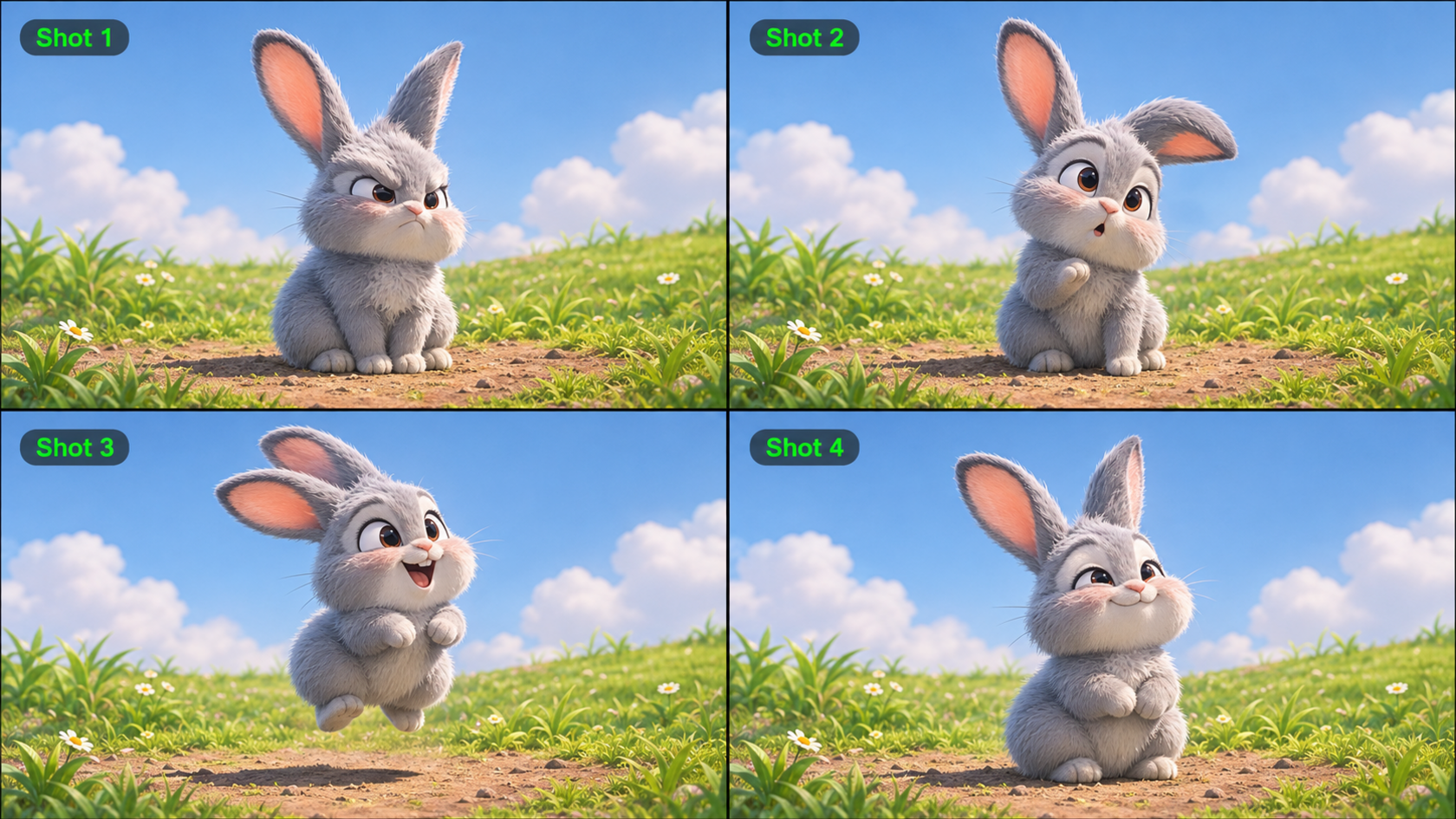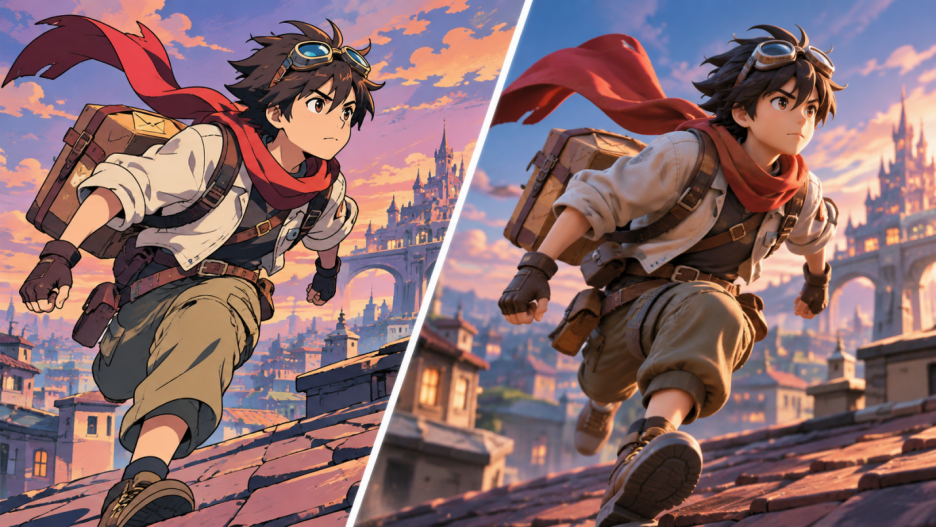
2D and 3D animation differ in more than appearance: each has its own approach to motion, camera work, and production. AI video generation now offers another way to explore both looks. This guide compares their visual styles, costs, and learning curves to help you choose a direction for your project.
What Is the Difference Between 2D and 3D Animation?
2D animation moves drawings, flat artwork, or 2D rigs, suggesting depth through perspective and layers. 3D animation moves digital models within a virtual space, using rigs, lighting, and cameras. The key difference is how a scene is constructed, not simply whether it looks realistic or cartoon-like.
Aspect | 2D Animation | 3D Animation |
Visual space | Flat artwork and implied depth | Models with 3D volume |
Production workflow | Drawing, key poses, in-betweens, compositing | Modeling, rigging, animation, rendering |
Character movement | Drawn frames or 2D rigs | Animated 3D rigs |
Camera work | Drawn perspectives and layers | Virtual cameras in 3D scenes |
Asset reuse | Drawings and rigs; new angles may need redrawing | Models and rigs reused across shots |
Typical strengths | Expressive poses and illustrated stories | Spatial action and flexible camera work |
In 2D, artists develop designs, set key poses, and animate between them. In 3D, they model and rig characters, animate them, then light and render scenes. Both demand planning, especially when action or revisions become complex.
In a sword fight, 2D can emphasize impact through bold poses, while 3D can follow the action with a rotating camera. AI-generated video can explore either look, though it does not automatically provide editable 2D layers or 3D models.
How Do 2D and 3D Animation Styles Compare?
Linework, shading, and depth shape both styles, but they can overlap. A 3D model can have flat, anime-inspired shading, and 2D art can suggest deep space.
These differences also shape what happens when characters start moving. Whether the goal is expressive 2D action or a dimensional 3D look, creators need to consider how character design, movement, and camera angles work together across a scene. Before committing to a full production workflow, it can be useful to preview the same idea in different visual styles.
AI video generation makes this kind of exploration more accessible. At Kling AI, we bring image and video creation together on one platform. Our Kling 4.0 model can generate 2D-inspired and stylized 3D-looking videos from prompts and visual references. With Omni Reference, you can combine up to 15 reference assets to help maintain character and visual consistency, while reference videos guide performance, movement, camera work, and pacing. Improved motion stability also supports dynamic action and complex camera movements.
Whether you're using traditional animation techniques or AI video generation, understanding what makes each visual style distinctive is essential. Let's explore how 2D, 3D, and hybrid animation differ in their artistic expression, sense of depth, and approach to motion.
What Makes 2D Animation Visually Distinct?
2D animation often emphasizes silhouettes, linework, carefully chosen colors, and expressive poses. In hand-drawn anime, held frames, sudden changes in timing, and deliberately placed shadows can make a movement feel powerful without showing every intermediate action. Spirited Away, for example, is known for its predominantly hand-drawn animation and rich illustrated worlds.
These qualities are also useful when directing an AI-generated scene. Descriptions such as “clean ink outlines,” “painted backgrounds,” “flat color areas,” and “exaggerated key poses” give a clearer visual target than simply asking for a “2D look.”
How Does 3D Animation Create Depth and Motion?
In 3D animation, characters and environments are built with volume. Virtual cameras can move around a character, while lighting and perspective reveal how the scene is arranged in space. This can be especially useful for a chase, a rotating view, or an action scene that changes angles repeatedly.
A 3D animation does not have to look realistic. Artists can use toon or cel shading to create bold outlines and simplified shadows that resemble 2D art. Land of the Lustrous demonstrates how computer-generated characters and environments can support a distinctive anime-inspired visual style. Likewise, when prompting an AI-generated 3D-style video, describe the intended surfaces, spatial depth, lighting, and camera path rather than assuming the word “3D” will define every detail.
Can 2D and 3D Animation Be Combined?
Yes. Productions may place 2D characters over 3D backgrounds, add hand-drawn effects to computer-generated scenes, or use 3D movement with a 2D-inspired design. The First Slam Dunk is an example of CG animation paired with an artistic approach that preserves qualities of the original manga.
Hybrid styles are useful when you want expressive character design and flexible camera movement in the same project. AI offers another way to experiment with that mix: you can combine references for an illustrated character, a dimensional setting, and the motion of a sample shot, then review whether the result feels visually unified.
How AI Helps Create and Refine 2D and 3D Animation Styles
Choosing a visual direction is only the beginning. A character who looks convincing as a still image also needs to stay recognizable while running, turning, or moving between shots. Timing, camera movement, and visual consistency matter in AI-generated footage just as they do in traditional animation.
With Kling 4.0, we help creators address these challenges throughout the animation process. From using references to guide character appearance and motion to developing longer story-driven scenes and refining existing footage, the following capabilities show how you can create and improve different animation styles with greater control.
Keep Characters and Camera Motion Consistent With References
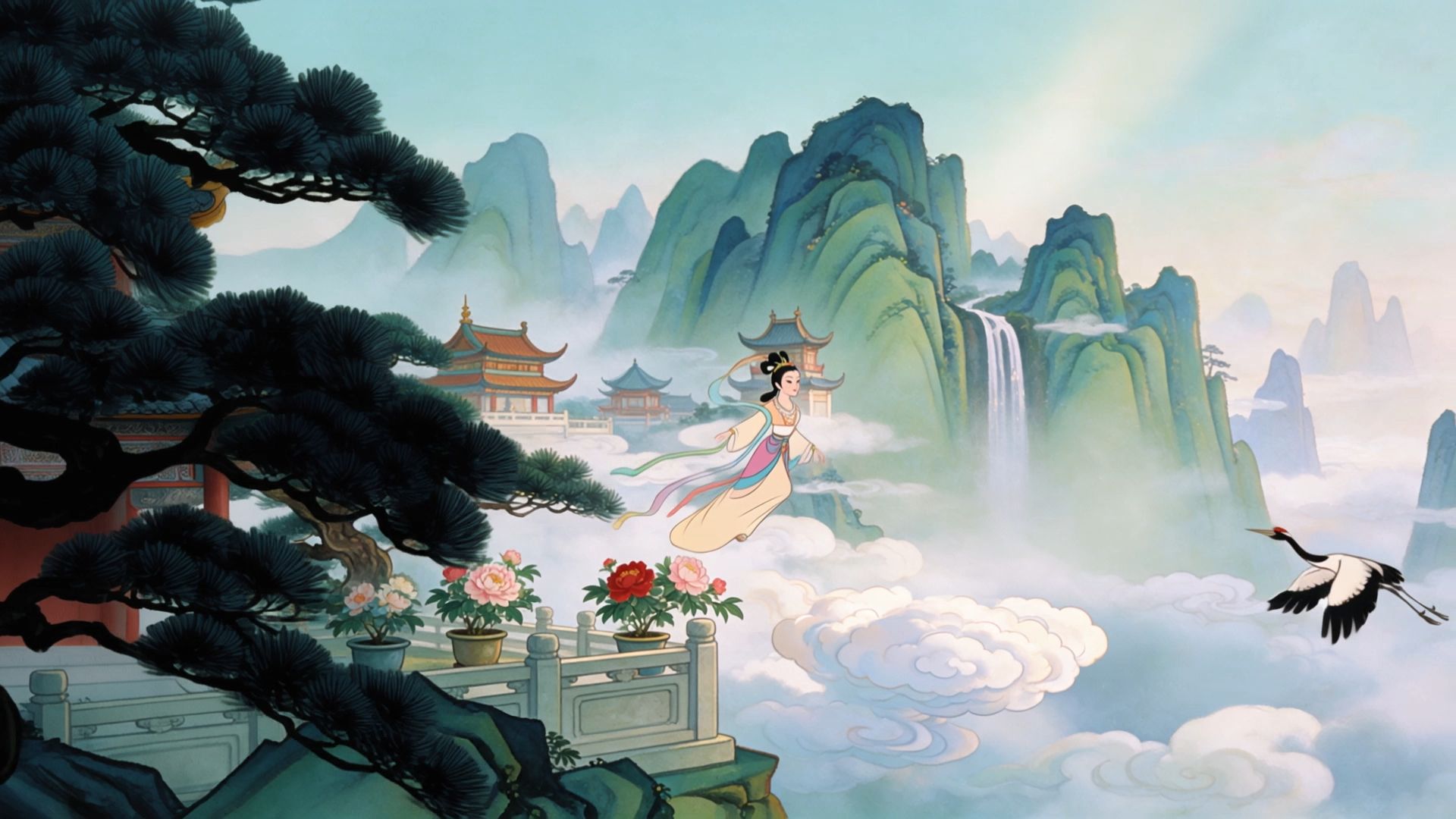
Kling 4.0's Omni Reference can combine character artwork, environmental images, Elements, and reference videos in one task. Up to 10 images and up to 5 reference videos can be used within the overall 15-asset limit; reference videos have a combined duration limit of 30 seconds. When several assets are supplied, explain their different roles in the prompt.
For example, use a character sheet to guide a courier's hairstyle, jacket, and colors. Add a reference video to guide the rhythm of a leap or the movement of a tracking camera. You can draw on the reference clip's timing and shot composition while designing your own characters and setting. Kling 4.0's improved handling of large-scale motion and complex camera moves helps keep fast action, following shots, and orbiting cameras more fluid. Always review the generated result for character drift and unintended changes.

Build Longer, Story-Driven Animated Scenes
An animated story needs more than an attractive frame. It may start with a wide establishing shot, move into a character's action, and end on a meaningful reaction. Kling 4.0 supports videos of up to 30 seconds per generation, giving those story beats more room to develop.
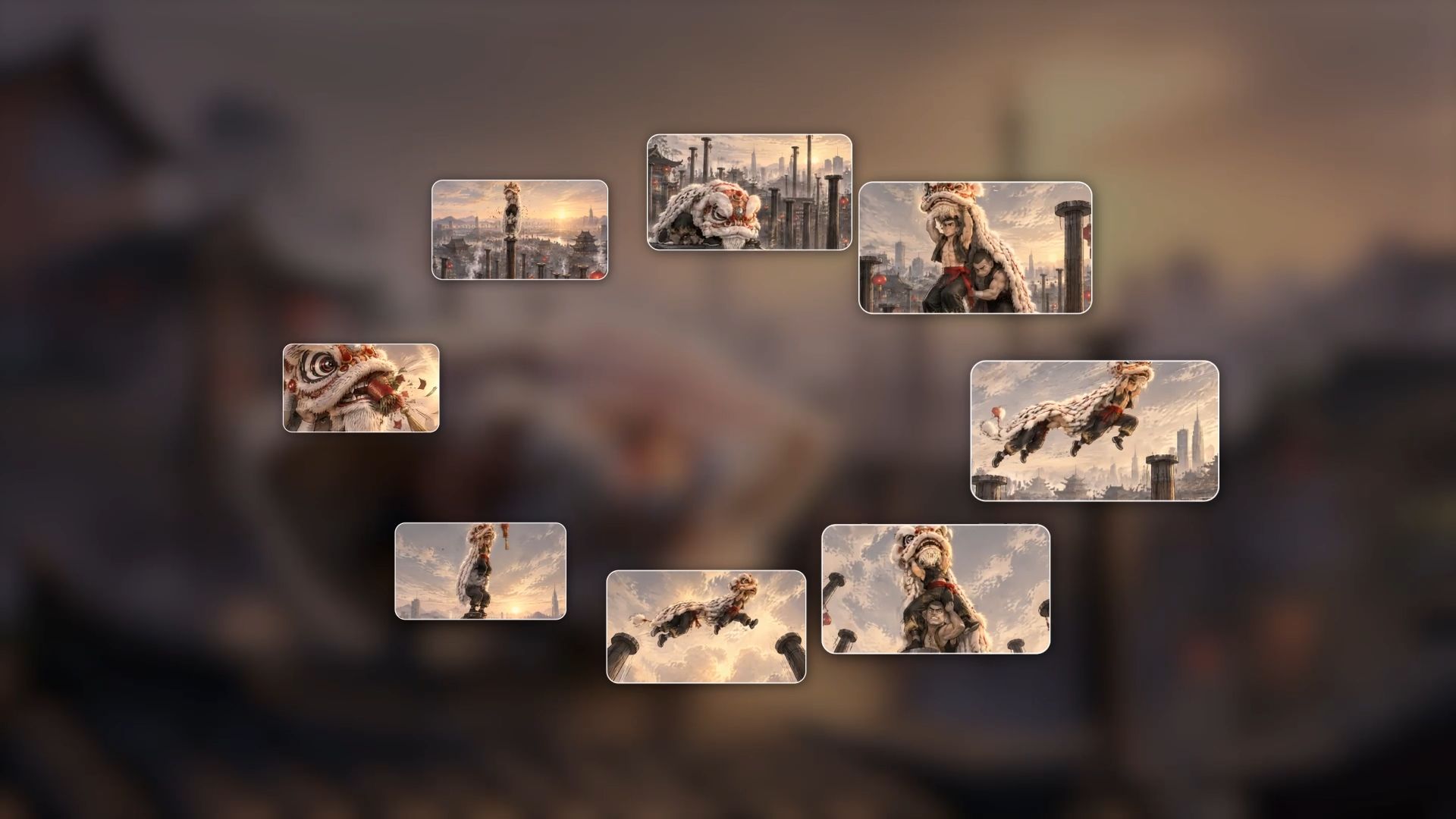
Within Omni Reference, you can use up to 10 images as keyframes to guide important visual moments, such as a character approaching a rooftop gap, jumping, and landing. Describe what happens between those moments, including expressions, camera transitions, and the order of events. Kling 4.0 can also interpret detailed prompts of up to 8,000 tokens, so you can develop a clearer sequence without relying on a single vague style label.
Transform and Refine an Existing Animation Style
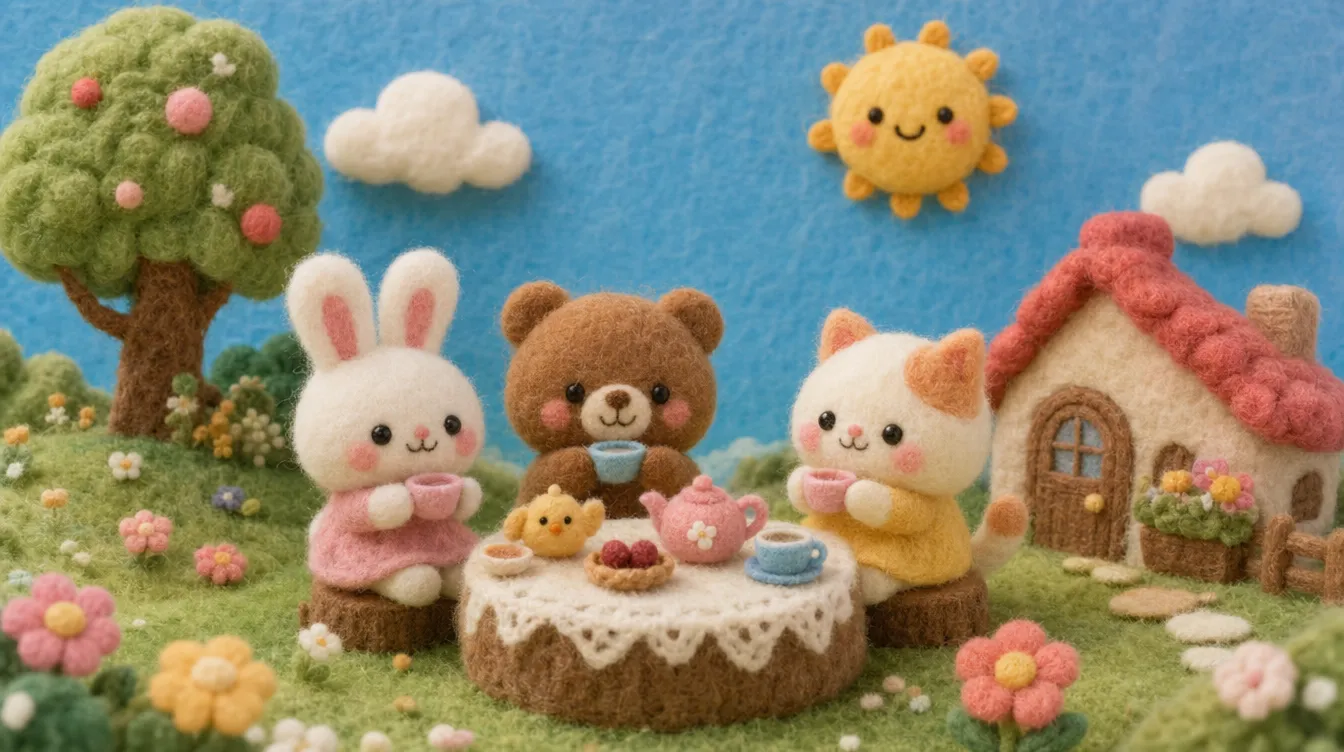
You do not always have to generate a new scene from scratch. With Kling 4.0's precise video editing capabilities, you can use text and visual references to request changes to an existing clip. These can include its overall style, background, character appearance, lighting, or other selected details. State what should remain unchanged so the new version stays close to the original action and camera work.
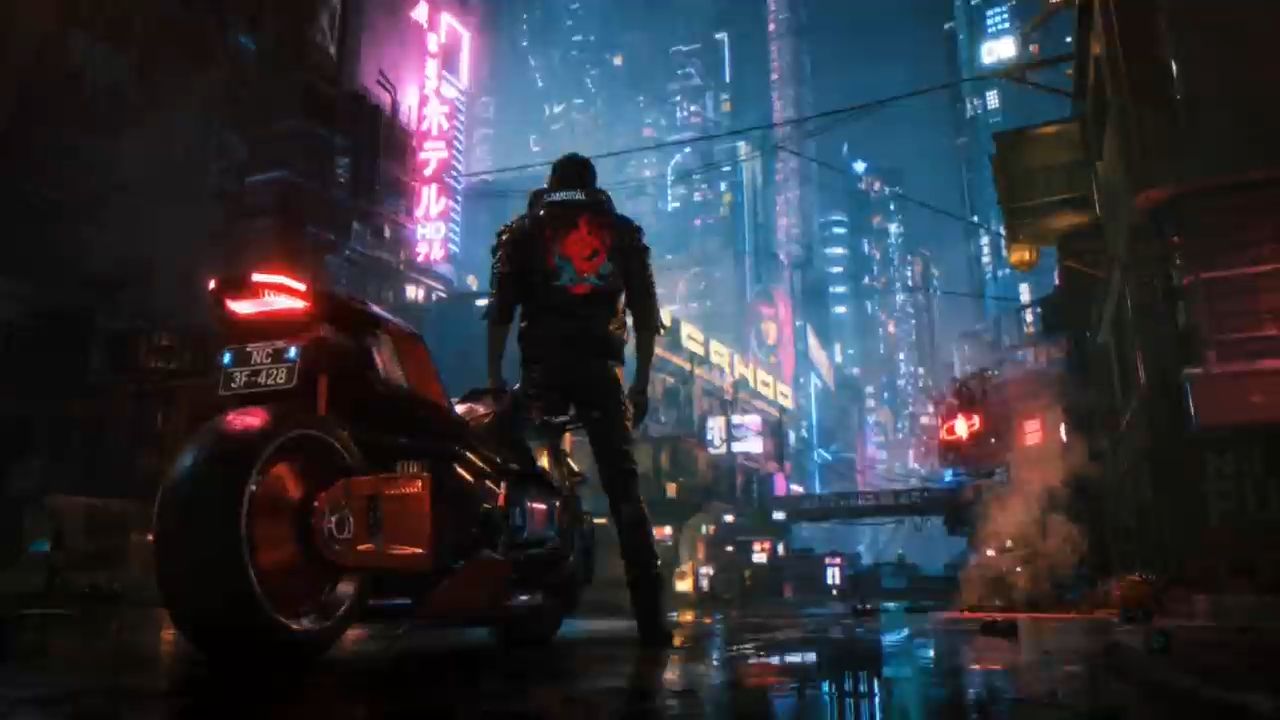
For example, start with a reference clip and a handmade-felt style image. You can request a felt-textured version while preserving the original sequence of events. The same approach can help test an illustrated treatment or a stylized 3D-looking version of footage. If you want to reuse a reference video's pacing or shot composition with different characters, use assets you own or have permission to adapt.
Reference Video + Style Image | Style Reference Image | Generated Video |
 |
| 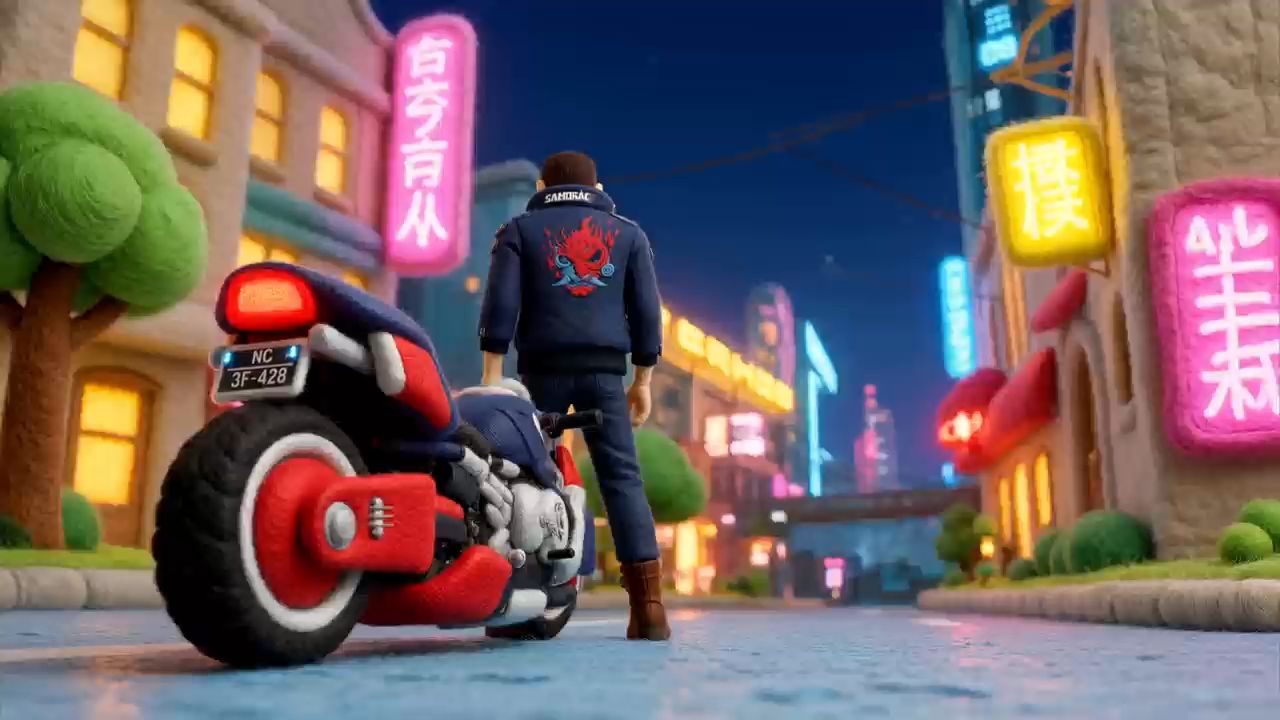 |
Prompt: Edit @Video 1 by transforming the entire video into the felt style shown in @Image 1. Preserve the original video's composition, camera shots, camera movements, character actions, timing, and sequence exactly. Change only the visual style to match the felt aesthetic of @Image 1. All characters, objects, and environments should have consistent felt textures and a handcrafted felt appearance. Do not alter the original scene content, character identities, or movements. Everything else must remain unchanged. | ||
2D Animation vs 3D Animation: Cost and Learning Difficulty
Production costs and learning curves depend on the style, complexity, and tools involved. Traditional techniques and AI-assisted workflows also have different cost structures, so the fairest comparison begins with what the finished project must deliver.
Is 2D or 3D Animation More Expensive?
The 2D animation vs 3D animation cost comparison has no universal winner. A short 2D scene with limited movement may be less demanding than building a detailed 3D character, complete with textures and a rig. But frame-by-frame action, difficult perspective changes, or repeated redrawing can make an elaborate 2D production time-consuming.
3D usually requires more upfront asset work, including modeling, rigging, lighting, and rendering. Once characters and environments are built, they can be reused across episodes and camera angles. That may be valuable for a longer series, while a simple illustrated explainer may be more practical in 2D. Scope, revisions, team skills, and reuse matter more than the label
alone.
AI video generation can reduce some of the work involved in concept development and shot production. With Kling 4.0, you can use prompts and visual references to create animated videos in 2D-inspired or stylized 3D looks, without going through every stage of a traditional animation workflow. However, generation credits, revisions, editing, and finishing still affect the total cost. AI also does not replace specialized production when a project requires fully editable 2D layers or 3D assets.
2D Animation vs 3D Animation: Which Is Easier to Learn?
For someone who enjoys drawing, simple 2D exercises—such as a bouncing ball or a short character reaction—may feel more approachable. Advanced 2D work still demands perspective, consistent character design, convincing timing, and many carefully planned poses.
3D introduces a different learning curve. Beginners may need to learn modeling, rigging, materials, lighting, and camera controls before producing polished results. Drawing skills are helpful for composition and anatomy, but they are not a strict requirement for learning 3D software.
AI tools change the starting point. You can describe a scene, upload a character sketch, and test an animated version before mastering every stage of a traditional workflow. That makes experimentation more accessible, but stronger artistic judgment—especially about design, motion, and storytelling—still improves the outcome. The easier method depends on whether your goal is a finished video, a reusable animation project, or a professional production skill.
Which Should You Choose: 2D or 3D Animation?
Start with the story and the format you need to deliver. If expressive drawings and stylized poses carry the emotion, 2D may be a good starting point. If the scene relies on complex spatial action or reusable models, 3D may make more sense. The two can also work together.
Your Project Needs | Recommended Starting Point |
Hand-drawn linework and illustrated storytelling | 2D animation |
Expressive poses and intentionally limited motion | 2D animation |
Flexible camera angles around characters or objects | 3D animation |
Reusable models across many scenes | 3D animation |
Illustrated designs with dimensional backgrounds or camera work | Hybrid 2D/3D approach |
A fast visual test of either look from a prompt or references | AI-generated video in the chosen style |
The final decision does not need to be permanent. If you are unsure which visual direction works best, use the same character, action, and setting to test two versions with AI. Compare readability, emotion, and motion before choosing a production approach. That can be especially useful when choosing between 2D animation and 3D animation for social short videos, promotional videos, or short story concepts, where creators may need to compare different visual directions.
How to Create 2D Anime and 3D Styles With Kling AI
A character design may look convincing as a still image but behave differently in motion. With Kling 4.0, you can test 2D-inspired and 3D-style scenes using prompts and visual references before developing the full animation.
Step 1. Add Your References
Open Kling AI's Video Generation workspace and select Kling 4.0. If you're starting from scratch, you can begin with a written concept. If you've already designed a character for your animation, upload a drawing or other suitable references to help create the design with Kling AI. You can also add further references to help define the setting, clothing, or overall style.
Step 2. Describe the Same Scene in Both Animation Styles
To compare the two styles more clearly, you can prepare two versions of the same character: a 2D anime-style illustration and a stylized 3D-rendered character image. Kling AI's image generation capabilities can help you create these references while preserving the character's facial features, hairstyle, clothing, and colors.
For example, imagine a young courier running across city rooftops at sunset. Use @Image1 as the 2D character reference and @Image2 as the 3D-style character reference, with @Image3 providing the same rooftop setting. Keep the action, camera sequence, and story consistent in both versions, changing only the visual treatment.
Prompt A — 2D Anime-Inspired Style
Create a 12-second, hand-drawn 2D anime-inspired animation of the young courier in @Image1 running across city rooftops at sunset. Use @Image3 as the setting reference. Apply clean line art, flat cel shading, expressive poses, and painted backgrounds. Begin with a wide shot as the courier approaches a rooftop gap, switch to a side view for the jump, and finish with a close-up as the courier lands. Maintain consistent character details and expressive anime-style timing throughout. |
Prompt B — Stylized 3D Animation Look
Create a 12-second, stylized 3D-looking animated video of the same young courier in @Image2 running across the same city rooftops at sunset. Use @Image3 as the setting reference. Apply toon-shaded materials, dimensional character forms, directional lighting, and convincing spatial depth. Follow the same shot sequence: a wide shot approaching the rooftop gap, a side view of the jump, and a close-up on landing. Maintain the same character identity, actions, and timing, while emphasizing the dimensional appearance of 3D animation. |
Both prompts follow the same story and camera sequence, but use different character-style references. This makes it easier to compare how 2D and 3D animation styles handle character design, shading, spatial depth, and movement.
Step 3. Generate, Review, and Compare Your Animations
Choose a 12-second duration, your preferred aspect ratio, and the available output settings, then generate both clips. Review them side by side. For the 2D-inspired version, examine linework, silhouettes, and expressive timing. For the 3D-style version, look at spatial depth, lighting, and how the camera moves around the scene. If the character changes appearance or a shot loses its intended style, revise the prompt or references and generate another version.
The End
The best choice in 2D vs 3D animation depends on the look you want, the movements your story needs, and the production resources available. 2D can make illustrated expression a strength; 3D can offer flexible spatial movement and reusable assets. You can also combine their visual qualities. With Kling AI, you can explore different styles, guide character and camera motion with references, and refine generated footage before settling on a final direction. Whether you are developing an animated short, an ad, or an original character concept, start with the story you want to tell—and choose the workflow that serves it.
FAQs
2D Anime vs 3D Anime: What's the Difference?
2D anime is traditionally created with hand-drawn or digitally drawn two-dimensional artwork, while 3D anime uses modeled characters and environments that can be viewed from changing camera angles. The finished styles can look similar because 3D artists often use cel shading and other techniques inspired by 2D anime. The main difference is the production process, not necessarily whether one looks more like anime.
Are Japanese Anime 2D or 3D?
Both. Many Japanese anime productions rely heavily on 2D artwork, while others use 3D CG for characters, vehicles, crowds, or entire scenes. Some combine the two. A finished scene's visual appearance does not always reveal which methods were used.
Does 2D Animation Take Longer Than 3D?
It depends on the project. Detailed frame-by-frame 2D action can take substantial drawing and revision time. 3D takes time to model and rig, but reusable assets may save work on later shots. Short projects and ongoing series can have very different production needs.
Do You Need Drawing Skills to Learn 3D Animation?
Not necessarily. Drawing can improve your understanding of pose, anatomy, and composition, but beginners can learn 3D animation through models, rigs, virtual cameras, and lighting tools. Timing and visual storytelling are useful skills in either approach.
Can AI Create Both 2D and 3D Animation Styles?
Yes. AI video generation can produce moving scenes with hand-drawn-inspired or stylized 3D-looking visuals from prompts and references. With Kling AI, you can compare those looks and refine footage without building every frame or model manually. Keep in mind that the output is a video, not an editable 3D model or layered animation project.