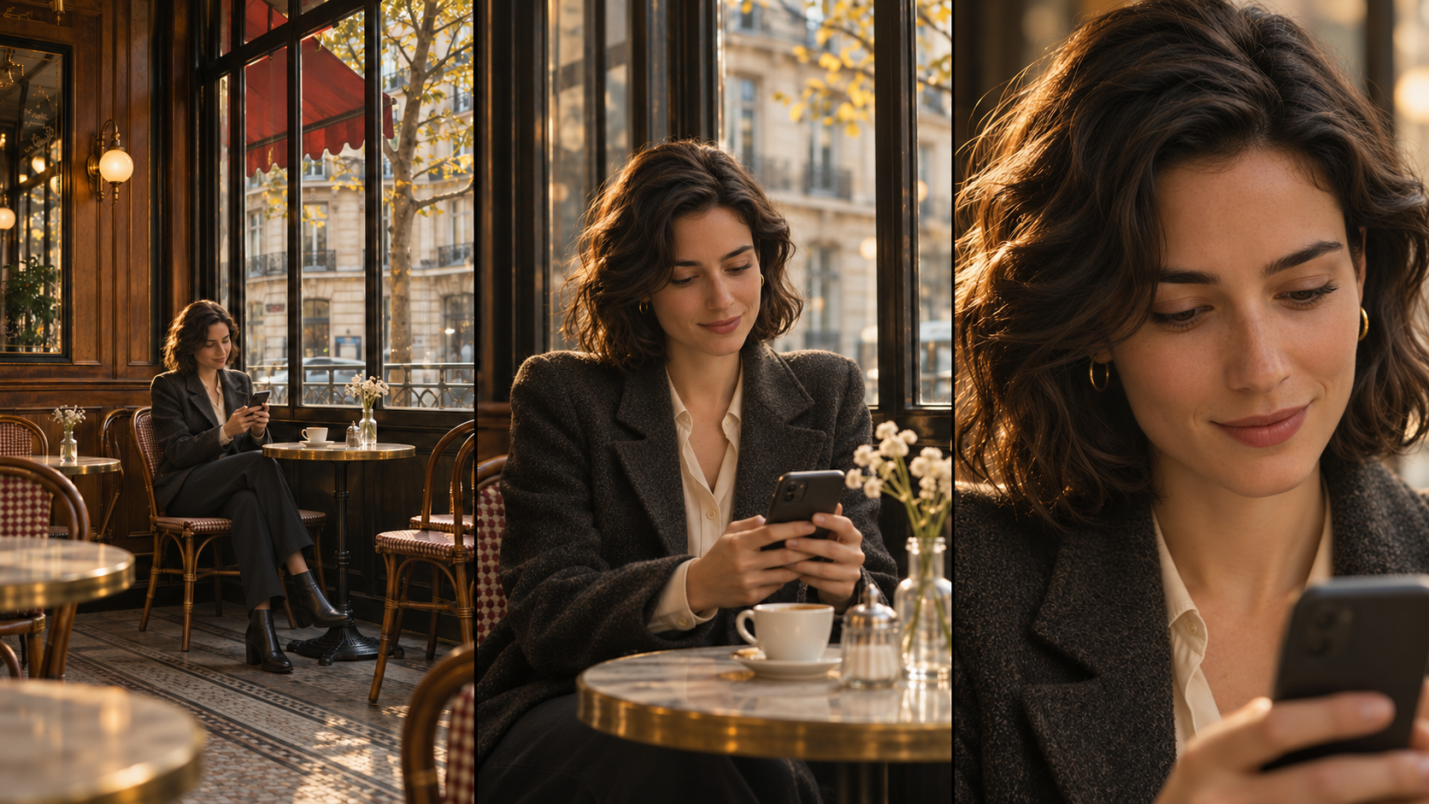
A product photo looks great, but the campaign needs a carousel, a Reel, and several feed ads. A crop that works in one placement may hide the packaging in another, and the headline might crowd the screen. Effective ad creative takes these details into account, so the product and message still come through. We'll explore what makes an ad work, how Kling AI can help with related image and video variations, and what campaign results reveal about your strongest ideas.
What Is an Ad Creative?
An ad creative is the content an audience sees or hears in a paid ad, from a product image, carousel, or video to a display banner or search ad headline. The wider campaign also includes targeting, budget, and delivery.
Core elements include:
- Visuals: Product images, video, graphics, and backgrounds that attract attention.
- Copy and brand cues: A headline, benefit, logo, colors, and typography that establish identity.
- Call to action: A clear next step, such as “Shop Now,” tied to the landing page.
How Can AI Improve Ad Creatives?
Traditional ad production can involve product shoots, graphic design, motion work, and several rounds of stakeholder approval. A late change to an offer or an additional placement can send assets back for retouching, new layouts, or another shoot. Each revision adds time and cost, particularly when paid social campaigns need several variations to test. AI can ease that process by helping teams visualize concepts earlier, explore different product settings, and develop related images and short videos from approved references.
At Kling AI, we develop image and video models that help brands explore those formats with a recognizable look and a clear message.
Our new image model, Kling Image 4.0, delivers camera-realistic material detail with native 8K image generation, stronger typography and layout design with 70+ commercially licensed fonts, and coordinated image sets. These capabilities bring richer visual detail to close-up product ads, make promotional graphics easier to read, and help related static placements maintain a consistent brand identity.
For video ads, Kling 4.0 combines Omni Reference, more coherent complex movement, and stronger narrative direction. It helps recognizable products stay central during action, camera moves, and story-driven reveals, and it opens up new possibilities for refreshing existing video creatives.
Static Ads, Carousels, and Product Graphics
A static ad may spotlight a single product, lead with a promotional offer, or invite viewers to swipe through a carousel. Each format benefits from convincing product detail, clear text, and visual variety that still feels recognizable.
Camera-Realistic Detail for Product Images
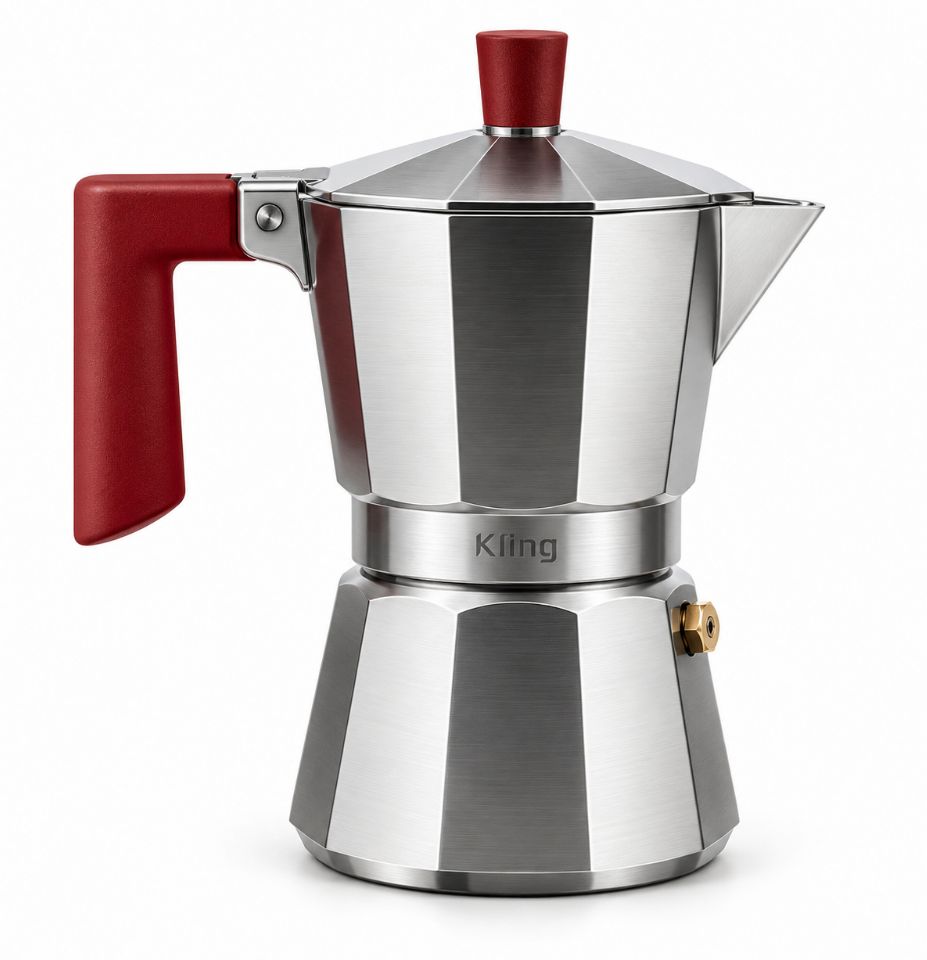
Glass reflections, fabric weave, and metal finishes can make a product image feel credible or artificial. Kling Image 4.0 brings natural lighting and fine material detail to native 8K images, giving hero visuals a more realistic look and leaving room for high-resolution crops across placements. For campaigns that start with an approved packshot, image to image can carry recognizable product details into another visual setting.
Reference | Result | Prompt |
|
| Generate a photorealistic lifestyle product photo of this coffee pot in a kitchen setting. Place the product on a marble-textured countertop, with a window featuring blinds nearby. Sunlight streams through the blinds, casting distinct light and shadow patterns across the product. Use a warm color palette with pronounced film grain. Create clear foreground, middle ground, and background layers, with a rich, thoughtfully arranged still-life composition. |

Clear Copy and Typography in Promotional Graphics
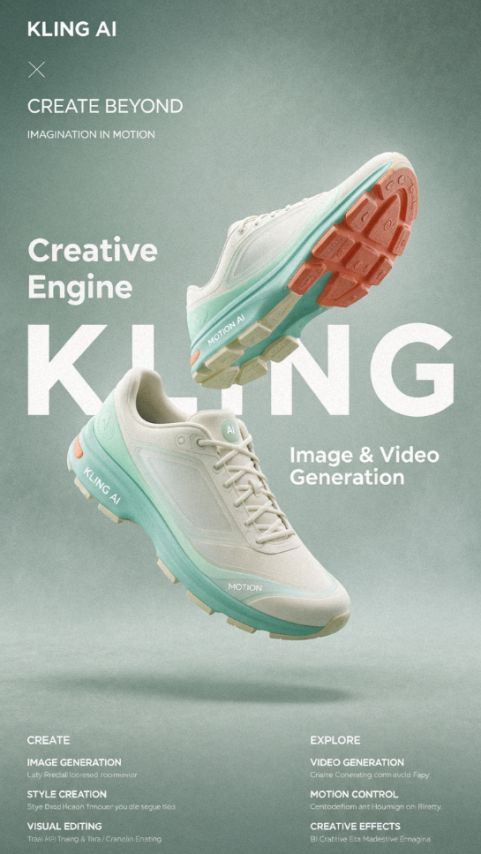
A promotion needs its headline and product image to work together, especially on a phone screen. Kling Image 4.0 handles more complex lettering, text hierarchy, and visual composition, helping promotional posters and product graphics communicate an offer with a clearer reading order. With 70+ commercially licensed fonts to choose from, brands can explore typography that fits their visual identity while maintaining clear, structured layouts across different ad formats.
The same text-and-image capabilities also work for longer e-commerce product graphics, where close-ups, benefit statements, and supporting copy need a clear reading order. A final proofread remains important for offer details and fine print.
Prompt | Result |
Two modern running shoes float at an angle, arranged diagonally in a polished composition. The running shoe in the lower part of the image has its toe pointing toward the lower right. Its upper combines off-white suede and textile materials, with matching off-white laces. The midsole is mint green, and the side is printed with the white text "KLING AI" and "MOTION". The heel is accented with orange. A soft, dark gray oval shadow falls onto the ground directly beneath the shoe. The second running shoe floats above it, slightly toward the upper center, tilted with its sole facing the viewer and its toe pointing toward the upper left, showcasing the outsole structure. The forefoot outsole is orange rubber, while the remaining sections are light beige. The midsole is also mint green, and the side is printed with the white text "MOTION AI". The two shoes are arranged at different heights, creating a sense of movement and visual balance with the background typography. Behind the shoes is a gray-green gradient wall and floor with a subtle grainy texture. The overall image combines minimalist design and futuristic technology aesthetics, with fine film grain. Soft artificial top-side lighting and diffused illumination create a bright, high-key image with low contrast, featuring white light and subtle warm-cool color contrasts. The image contains numerous white and light gray text elements. At the upper left, place the tiny bold white sans-serif heading "KLING AI". Directly beneath it, arrange two lines of left-aligned English promotional copy: "CREATE BEYOND" "IMAGINATION IN MOTION" Make "CREATE BEYOND" slightly larger. At the middle left, arrange two lines of medium-sized bold white sans-serif text: "Creative" "Engine" Across the central background, place the oversized bold white sans-serif headline "KLING" horizontally. Give the lettering a semi-transparent appearance, with parts of it obscured by the two floating shoes in the foreground. Below the floating shoe on the right, slightly right of center, arrange two lines of small bold white sans-serif text: "Image & Video" "Generation" At the lower left, arrange several lines of left-aligned English body text in the following order: "CREATE" "IMAGE GENERATION" "Laty Rredall looresed roomievior" "STYLE CREATION" "Stye Drad Hcaon fnnouer you dle segue ties" "VISUAL EDITING" "Traal MRI Tnaing & Tara / Crandin Enating" Use white for the headings and light gray for the descriptions, with a very small monospaced font. Mirror this layout at the lower right with several lines of left-aligned English body text in the following order: "EXPLORE" "VIDEO GENERATION" "Criarre Conerating cormavcld Fapy" "MOTION CONTROL" "Centodefiorn ant Hournign on Riretty." "CREATIVE EFFECTS" "Bi Crattive Eta Madestive Ernagina" Use the same tiny monospaced font, with white headings and light gray descriptions. Align the two columns of body text at the bottom. Arrange the groups of headings and subtitles in the upper and middle sections in an alternating left-right layout, creating a strong size contrast with the oversized background headline at the center. |
|
Connected Image Sets for Carousels and Feeds
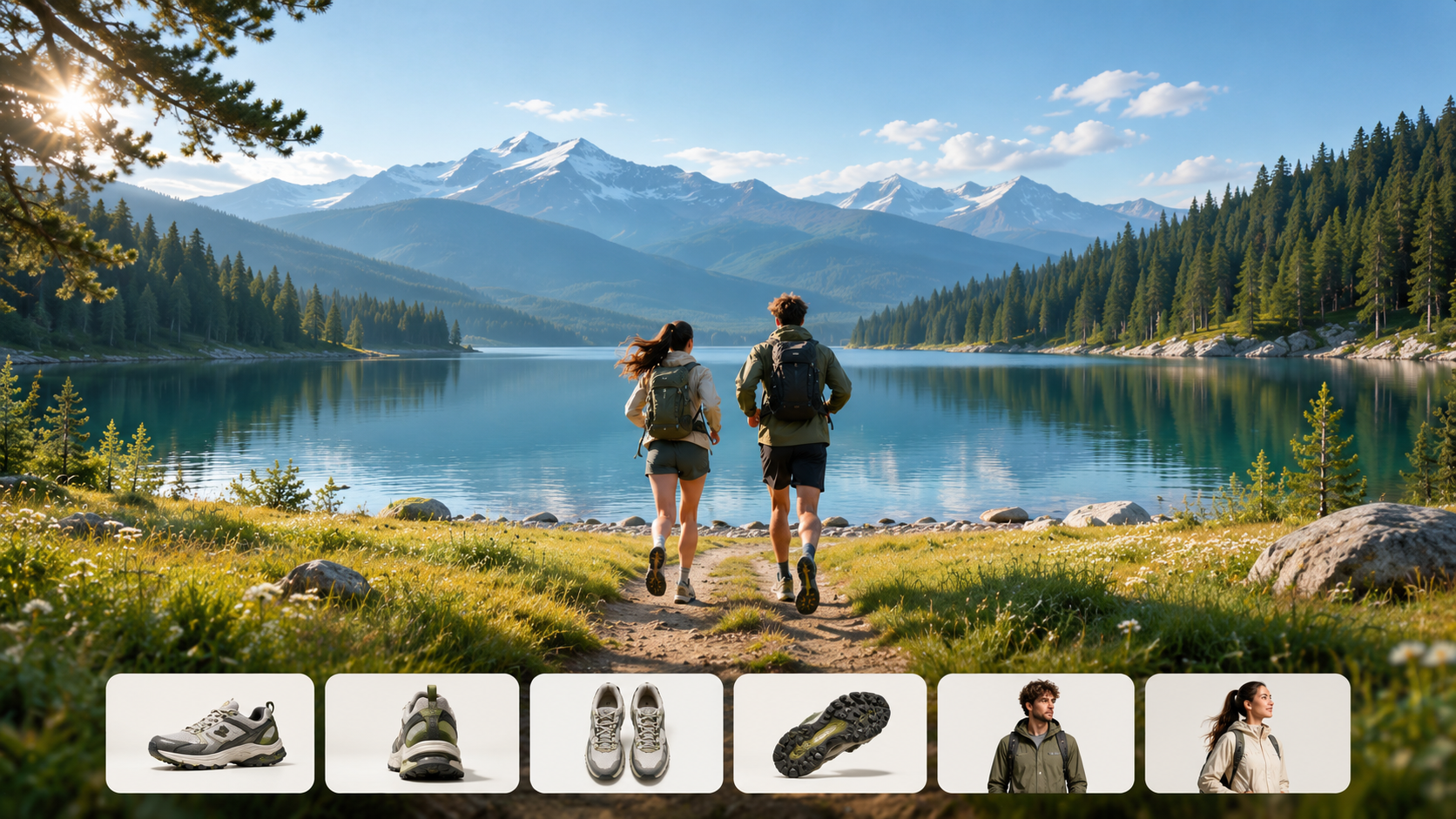
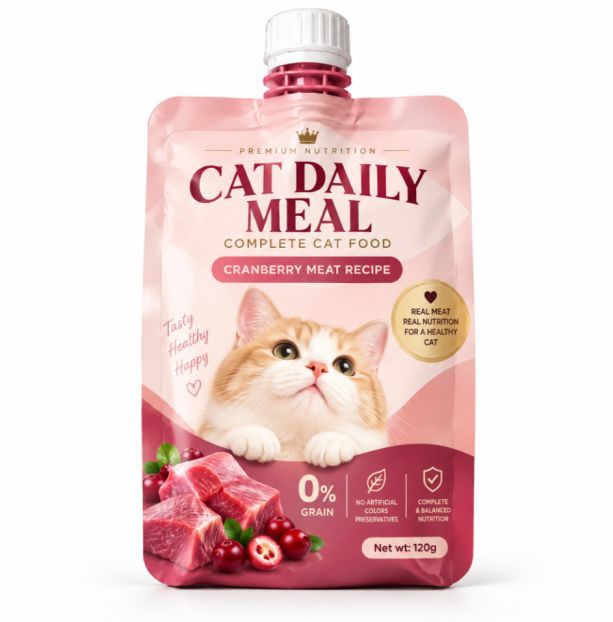
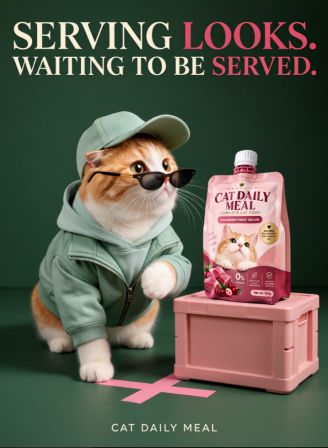
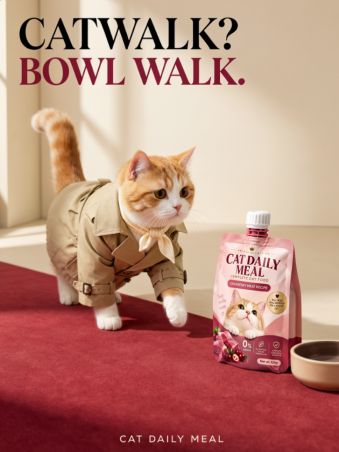
An effective carousel gives viewers something new on each card and keeps the product recognizable. Kling Image 4.0 can generate up to 10 related images from one creative direction, organizing varied scenes around consistent subjects and styling. The pet-food image set shown here illustrates how a familiar package and recurring character can connect several distinct concepts.
For teams developing AI ad creatives across feeds and carousels, coordinated image sets provide more creative range within one brand identity. Product colors, key visual cues, and overall styling can remain recognizable even as the message or setting changes.
Input Images | |||
|
| ||
Product Showcases | |||
|
|
|
|



Short Video Ads and Product Demonstrations
Video ads reveal movement, product handling, and a sense of use that still images cannot convey. More involved sequences benefit from consistent product details and camera movement that helps viewers follow the action.
Visual Consistency and Camera Direction in Video Ads
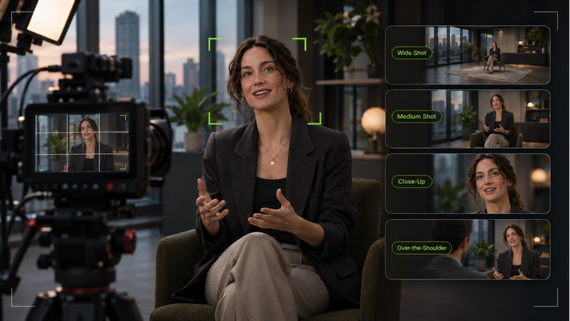
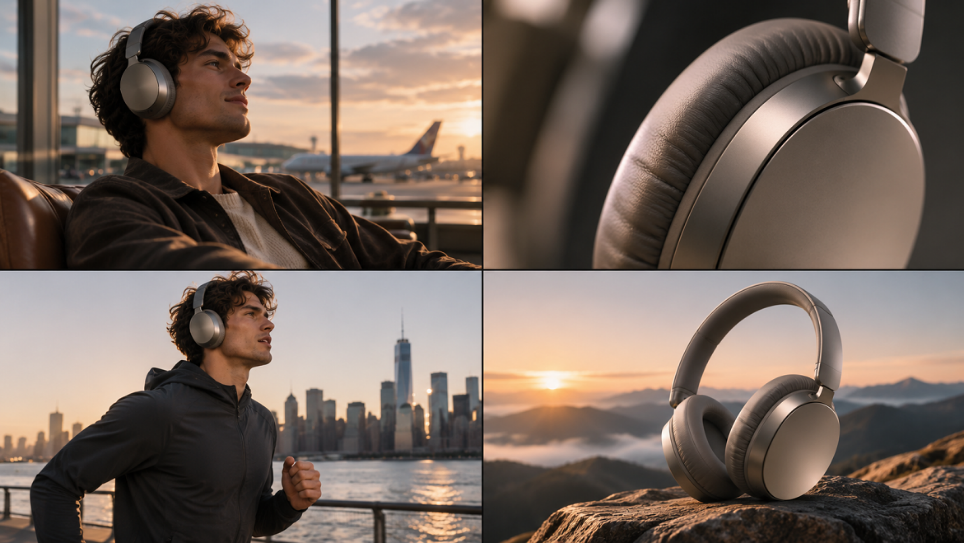
A product may appear in a studio reveal, an on-person demonstration, and a lifestyle scene. Kling 4.0 brings those shots under a more consistent visual direction through Omni Reference, which combines images, videos, and subject references to guide product appearance, character details, and camera movement. One task can draw on up to 15 combined reference assets, including up to 10 images and 5 videos, giving complex ad concepts a richer set of visual cues.
Shared references can help the product and on-screen talent stay recognizable as shots move between settings or camera positions. They also give brands more scope to explore new ad directions around a familiar visual identity.
Complete Story Arcs in Short Video Ads
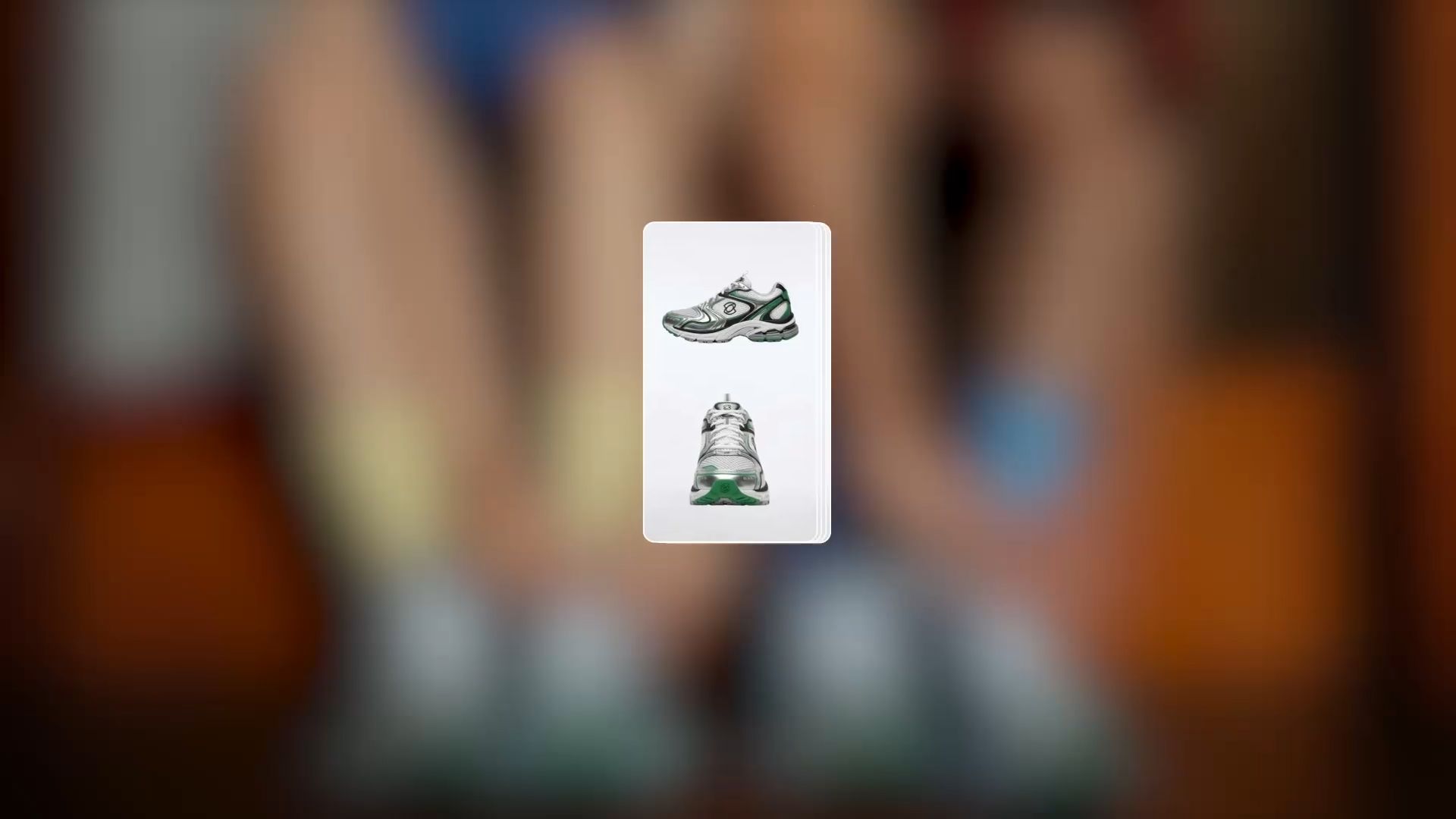
A short ad may need an attention-grabbing opening, a recognizable product moment, and a clear ending. Kling 4.0 can generate up to 30 seconds in a single task, giving that progression room to unfold as one connected sequence. Stronger prompt understanding and up to 10 images serving as visual keyframes can help shape important changes in scene, action, and camera distance. This gives creators more control over the rhythm of a complete short-form product story.
This illustrative shot plan gives the opening, product detail, demonstration, and closing offer distinct roles within a single short commercial.
Moment | Visual direction | Role in the ad |
Opening | Serum bottle against a clean studio background | Establish the product |
Reveal | Camera moves closer to the bottle | Show packaging detail |
Demonstration | Serum dispenses onto a surface | Reveal texture |
Lifestyle | Product appears in a skincare setting | Connect to daily use |
Closing | Product with room for a short offer | Invite the next action |

Stable Motion for Action-Focused Ad Shots
Action-focused ads depend on viewers being able to follow the product through demanding movement. Kling 4.0 improves the coherence of large actions and complex camera paths, including fast turns, tracking shots, and orbiting moves. That creates more opportunities for energetic sports, automotive, and fashion visuals where the product remains central as the scene develops.
More stable action helps viewers stay oriented as a subject moves and the camera changes direction. For sports, fashion, and automotive advertising, this creates a clearer connection between the product and the action it appears in.

More Flexibility for Existing Video Ads
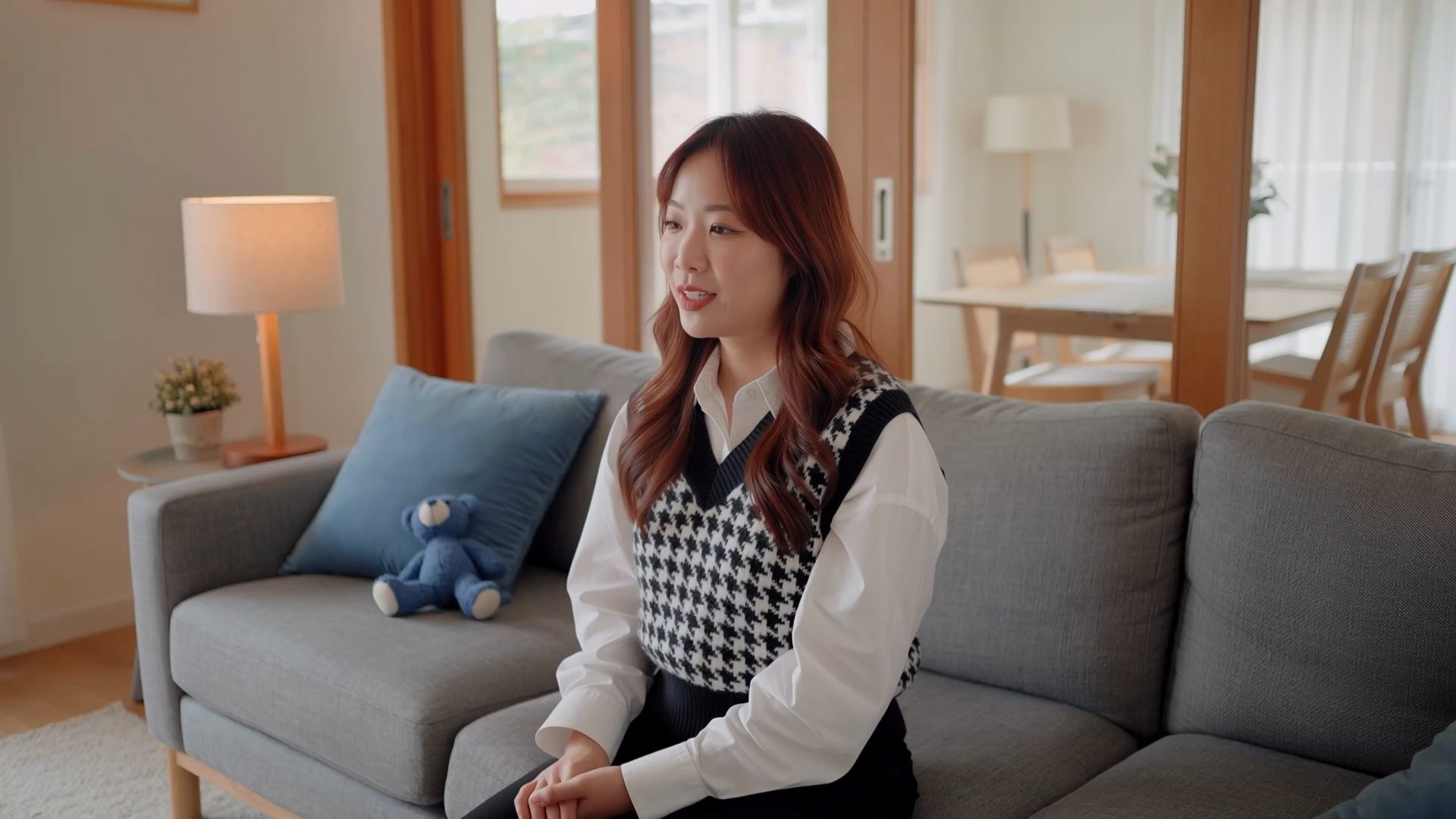
A promo video may already have an effective product reveal, but a seasonal promotion calls for a different setting or closer framing. Kling 4.0 can make targeted changes to existing footage, including subjects, backgrounds, visual style, and camera treatment. That gives brands more flexibility to refresh a strong ad for new offers or placements and make fuller use of footage they already have.
The same flexibility can help teams develop alternate campaign versions from footage they already have, with a familiar product moment carrying through to the new visual treatment.
Fresh Ad Concepts from Video References
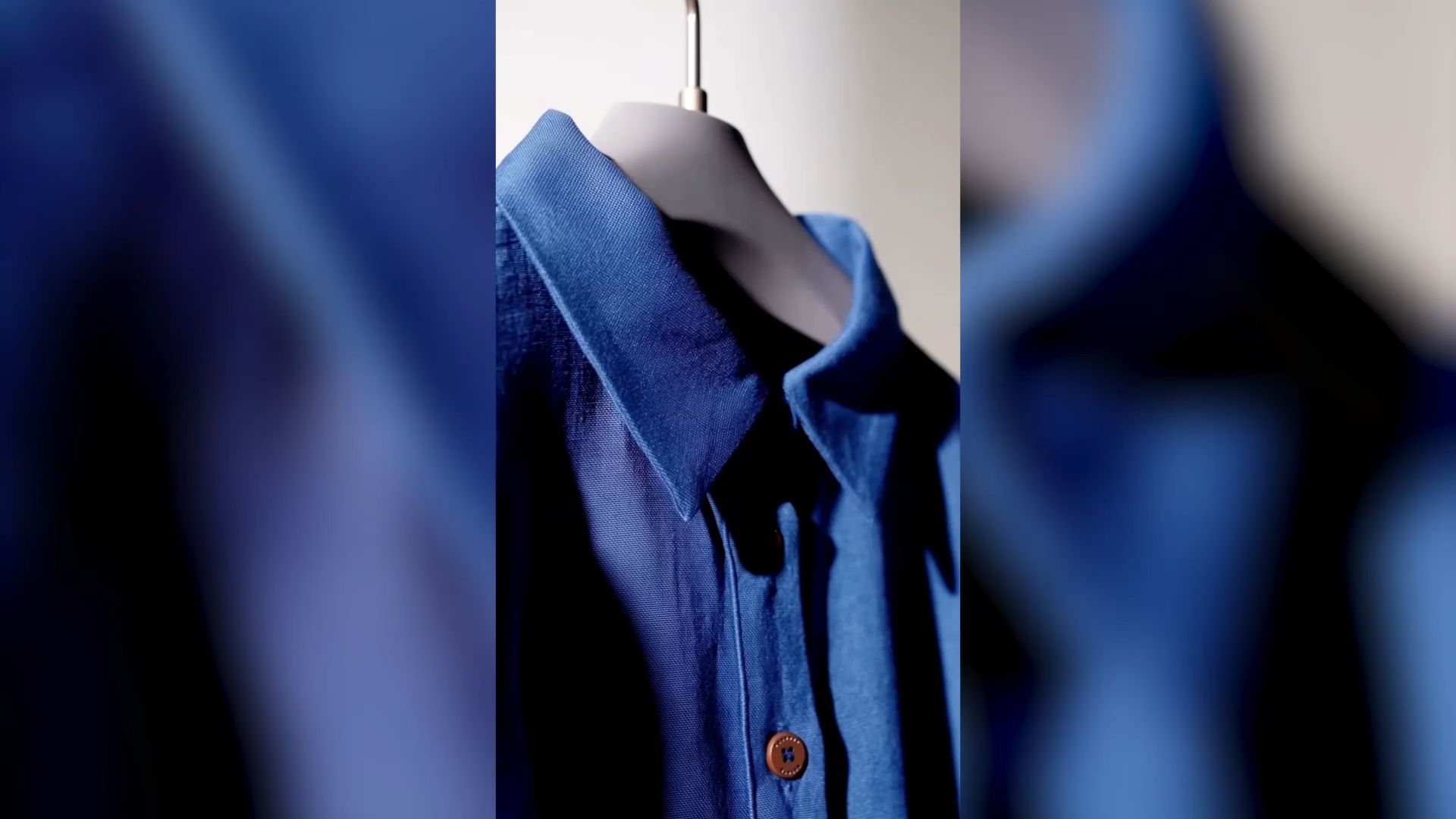
Some video ads stand out through the rhythm of their cuts, the order of their reveals, or an unusual camera move. Kling 4.0 can draw on those qualities in a brand-owned or licensed reference video and reinterpret them around different products, characters, and settings. For commercial video production, this approach gives teams more flexibility to explore fresh campaign ideas with a recognizable visual style and narrative rhythm.
A reference-led concept can preserve the energy of a familiar shooting style as a brand explores another product or campaign theme. The new footage still needs to reflect the brand’s own assets and creative rights.
What Makes an Effective Ad Creative?
Effective ad creative makes the product recognizable, communicates one relevant benefit, and offers a clear next step.
Lead with a Clear Visual Hook
An image needs to earn attention immediately; a video has its opening seconds. Lead with the product or an everyday problem. A serum close-up can reveal its texture at a glance.
- Show the benefit: Choose one useful feature or use case.
- Use contrast with purpose: Let lighting and framing guide the eye.
Keep the Product and Message Easy to Recognize
Clear ad creative design keeps the product recognizable and the message readable. Maintain packaging, color, and proportions; use props that explain when someone would use the product.
- Composition: Use detail shots for texture and wider views for context.
- Copy: Make the headline and benefit legible on a phone.
Fit the Creative to Its Placement
For Facebook video ads and Reels, preview the final placement. Mobile controls may cover a headline, and product close-ups can feel crowded in Stories. Adjust the crop for each format.
Format | Typical ratio | Example placement |
Vertical video | 9:16 | Instagram Reels, TikTok, YouTube Shorts |
Square image | 1:1 | Facebook and Instagram feed creatives |
Portrait feed image | 4:5 | Instagram and Facebook feed placements |
Landscape video | 16:9 | YouTube landscape video placements |
Keep important product details and offers inside safe areas, and check current specifications in your ad manager.
Ad Creative Examples for Different Campaign Goals
The same product can need very different messages as a campaign evolves. A launch ad, a sale announcement, and a retargeting creative may all use the same approved product visuals, but they should give viewers a different reason to pay attention.
Product Launch: Make the New Detail Easy to Notice
A skincare launch could lead with a close-up of the bottle and its distinctive texture, followed by one benefit that the brand can substantiate. A feed image gives shoppers the key visual immediately. A short video could show how the packaging opens or how the product fits into an everyday routine. Keep the product name and core visual cues consistent across both formats.
Seasonal Promotion: Put the Offer in the Right Place
A limited-time promotion needs a clear product image, an accurate offer, and room for a headline that people can read on mobile. Try one version with a direct product close-up and another with a lifestyle scene. Check the date, price, and discount language before launch; polished visual design cannot correct an inaccurate offer.
Retargeting: Answer the Shopper’s Remaining Question
For an audience that already viewed a product, an ad might focus on a detail that a first introduction missed: size, everyday use, color options, or how the item works. A short demonstration can answer one practical question, and a companion image can reinforce the same point. Judge the result by the campaign objective and the actual shopper response.
How to Create Ad Creatives with Kling AI
Turn your advertising ideas into product images, promotional graphics, and video ads with Kling AI. Follow these three steps to get started.
Step 1: Choose Your Ad Format
Open Kling AI and choose Kling Image 4.0 for static ads and carousel images, or Kling 4.0 for video ads. Define your target audience, key product benefit, and preferred ad format before creating.
Step 2: Add References and Describe Your Creative
Start with a text prompt and add product images or other visual references as needed. For video ads, use Omni Reference to combine images, videos, and Elements to maintain product consistency and guide actions, camera movement, and storytelling. Describe your desired setting, style, and key message in the prompt.
Step 3: Generate and Refine Your Ad Creative
Choose the aspect ratio and other available output settings, then generate your ad. Review product details, visual consistency, on-screen text, and overall presentation. Refine the result to fit your campaign goals and target platforms.
How to Test and Improve Ad Creative Performance
Creativity in ads is difficult to judge from a design mockup alone. A drop in click-through rate does not automatically mean the creative has worn out; check frequency, placement changes, and the landing page experience before commissioning a new set. When you test a fresh product hook or image, hold the offer and audience conditions as steady as practical so you can interpret the result.
- For awareness: Review reach, video retention, and brand-lift evidence when available.
- For engagement: Compare relevant interactions and click-through rate across placements.
- For conversions: Track cost per result and conversion rate alongside the offer and landing page experience.
An AI ad creative generator can help teams explore alternatives, but your audience still determines which idea works. For Google Ads Performance Max, the asset group guidance encourages a mix of creative formats and meaningful variations. Use campaign results to decide whether to refresh the opening, product angle, headline, or landing page. Avoid judging an ad on appearance alone.
Before publishing, verify offers and product claims, inspect on-screen text, confirm asset rights, and preview ads in their actual placements. Product-benefit claims need evidence, including when AI-generated images make a feature look especially convincing. The FTC's truth-in-advertising guidance requires claims to be truthful and substantiated; a polished image cannot make an unsupported claim accurate.
The End
Effective ad creative gives people a clear reason to care about a product and keeps that message recognizable across different placements. With Kling AI, you can explore campaign visuals and short videos around the same creative direction, then refine the assets for each goal. Review the product details, choose the strongest version, and use campaign performance to inform the next creative.
FAQs
What Is the Difference Between Ad Copy and Ad Creative?
Ad copy refers to the words in an advertisement, including headlines, body text, and CTA wording. Ad creative covers the full viewer-facing message, including that copy, the visual or video, the design, and brand elements. A copy change is one possible creative variation.
What Does Ad Creative Mean on Facebook?
On Facebook, ad creative refers to the content of an ad that people see, including its image or video, text, headline, and call to action. In Meta Ads Manager, advertisers can upload assets and preview how a creative appears across eligible placements. Check each placement preview because crops and interface overlays can change what appears on screen.
Should I Use Meta Advantage+ Creative?
Meta Advantage+ creative can automatically adjust eligible ad assets for different placements inside Meta Ads Manager. Some variations change framing or visual treatment, so check the previews before using them in a live campaign. Keep the versions that preserve your approved product details, claims, and brand style.
How Many Ad Creative Variations Should I Test?
Start with a manageable set that your budget can evaluate meaningfully. Try distinct hooks, images, or product-use scenes, and change one major element at a time when you need a clear comparison. The right number depends on your audience size, budget, and campaign objective.
How Often Should I Refresh My Ad Creatives?
There is no universal replacement schedule. Monitor trends such as falling click-through rates, rising cost per result, or declining video retention alongside frequency and audience overlap. Refresh the opening, visual concept, or offer when the data suggests your existing creative has lost relevance.
Can I Use AI-Generated Ad Creatives for Commercial Campaigns?
Commercial use depends on the tool’s current terms, the rights you hold to the inputs, and the content you publish. Check the applicable tool terms and your own asset licenses. You remain responsible for truthful advertising claims, properly licensed logos or likenesses, and final review of generated imagery and footage.