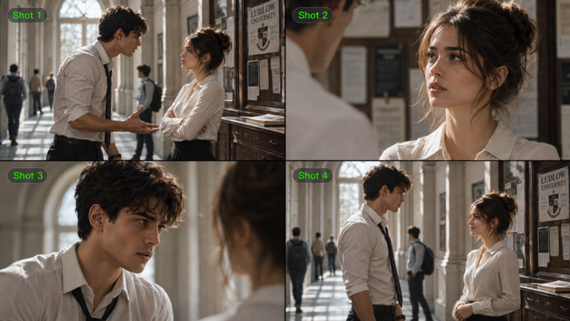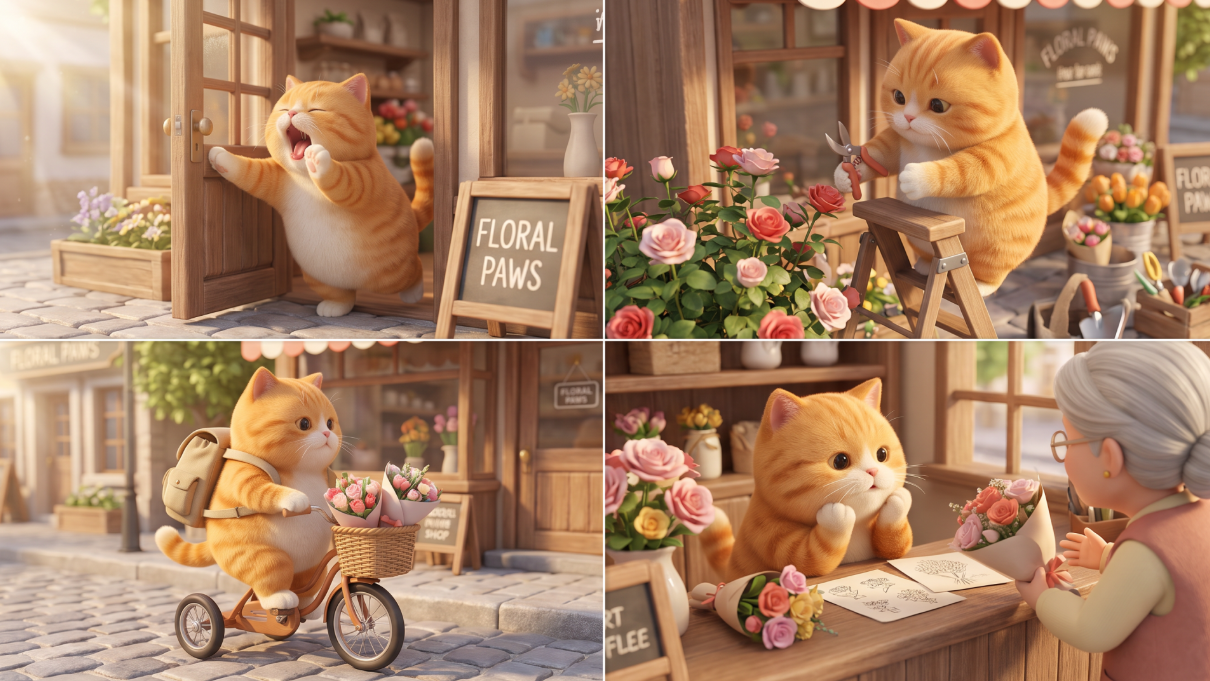
Learning how to make a comic book begins with a short, complete story of 5 to 10 pages. Write a simple script or outline, sketch rough page thumbnails with speech bubbles, then pencil, ink, color, and letter your panels before publishing. This guide walks through that process and shows how AI image generation can help you bring the artwork to life.
Plan Your Story and Comic Pages
If you are wondering how to create your own comic book, a short story is a lovely place to begin. A little planning helps each page earn its place.
Start with a Short, Complete Story
For a first comic, five to ten pages give one idea room to unfold without letting the project grow too large. A main character, a clear want, an obstacle, and an ending are enough to get started. Knowing where the story lands helps you decide what belongs along the way.
Turn the Story into a Page-by-Page Script
Your script can be simple: a page number, what the reader sees, and any dialogue or narration. Each page can carry one clear story beat, with a turn or reveal that invites the reader onward. Writing the words now makes it easier to adjust the story before the artwork takes shape.
Sketch Thumbnails with Room for Dialogue
Small rectangles and stick figures are enough to test a page. They show how panels connect and where eyes travel next. Adding rough speech bubbles at this stage lets you see whether the words and action have room to breathe.
Bring Your Comic to Life with an AI Image Generator
With the pages mapped out, the question of how to make a comic becomes a visual one. Traditionally, creating artwork panel by panel takes considerable time. AI image generation offers a more efficient way to turn scripts and visual references into comic artwork.
Kling AI is a platform for AI image and video creation. Our latest image generation model, Kling Image 4.0, brings together consistent image series, native 8K resolution, advanced text rendering, and precise understanding of complex prompts. From recurring characters and multi-panel compositions to speech bubbles and complete comic pages, these capabilities help you bring your story to life with greater creative control and visual consistency. Here is how those capabilities fit into making a comic.
Create Distinctive Characters for Your Comic
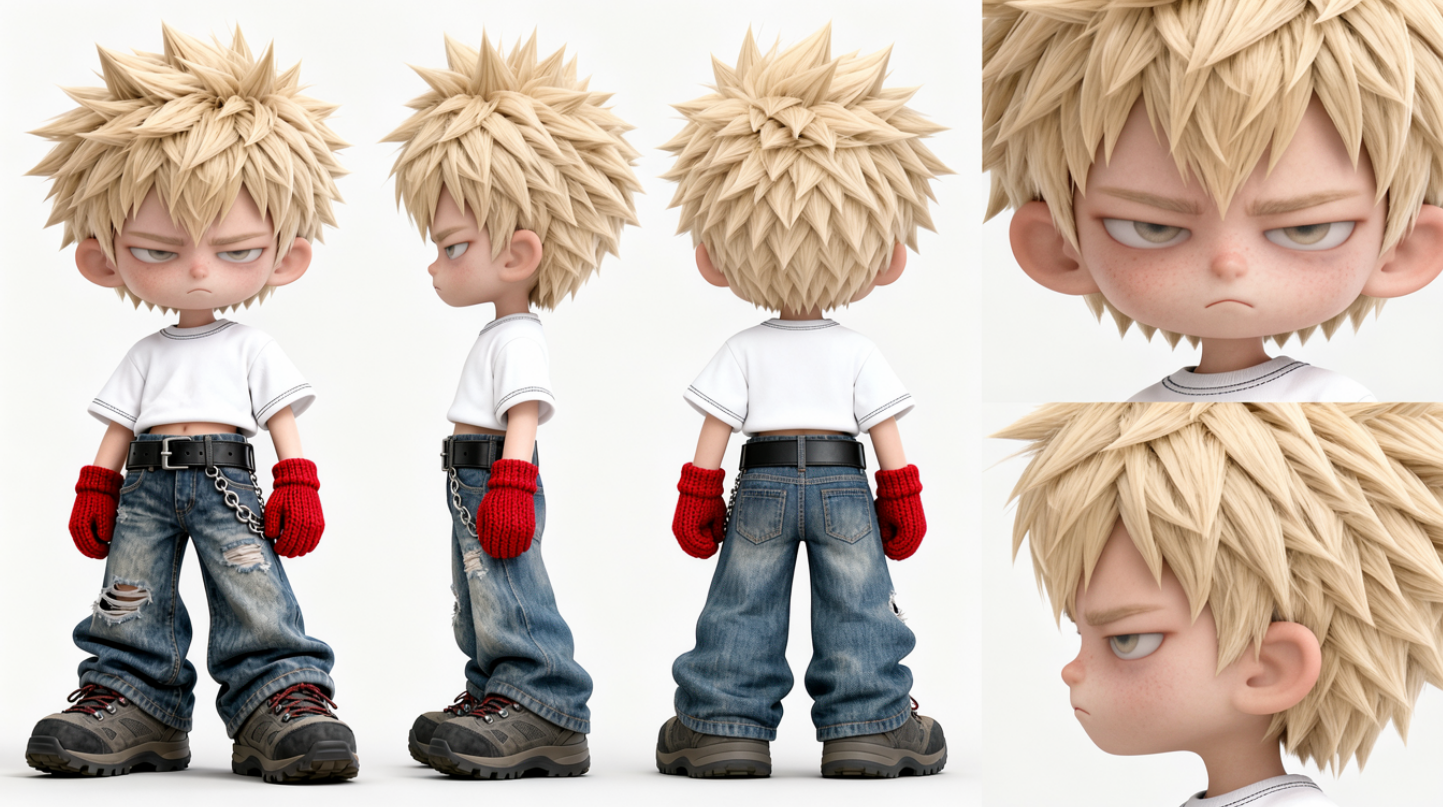
Every memorable comic begins with distinctive characters. Kling Image 4.0 can turn detailed character profiles into visual designs that reflect their personalities, backgrounds, and roles in your story. Define facial features, body proportions, hairstyles, costumes, and accessories to create anything from everyday protagonists to superheroes and fantastical creatures.
You can also generate multi-view character sheets featuring front, side, and back views, along with facial close-ups, and save your character assets to the Element Library for future creations.
Keep Characters Recognizable Across Panels
Once your characters are designed, maintaining their appearance across different panels and pages is essential to visual storytelling. With Kling Image 4.0, you can upload up to 10 reference images to guide character appearance, settings, and illustration styles.
Specify which facial features, clothing, and accessories should remain consistent while introducing new poses, expressions, camera angles, and interactions. This helps readers recognize recurring characters as the story unfolds across different scenes.
Build a Connected Sequence with Series Mode
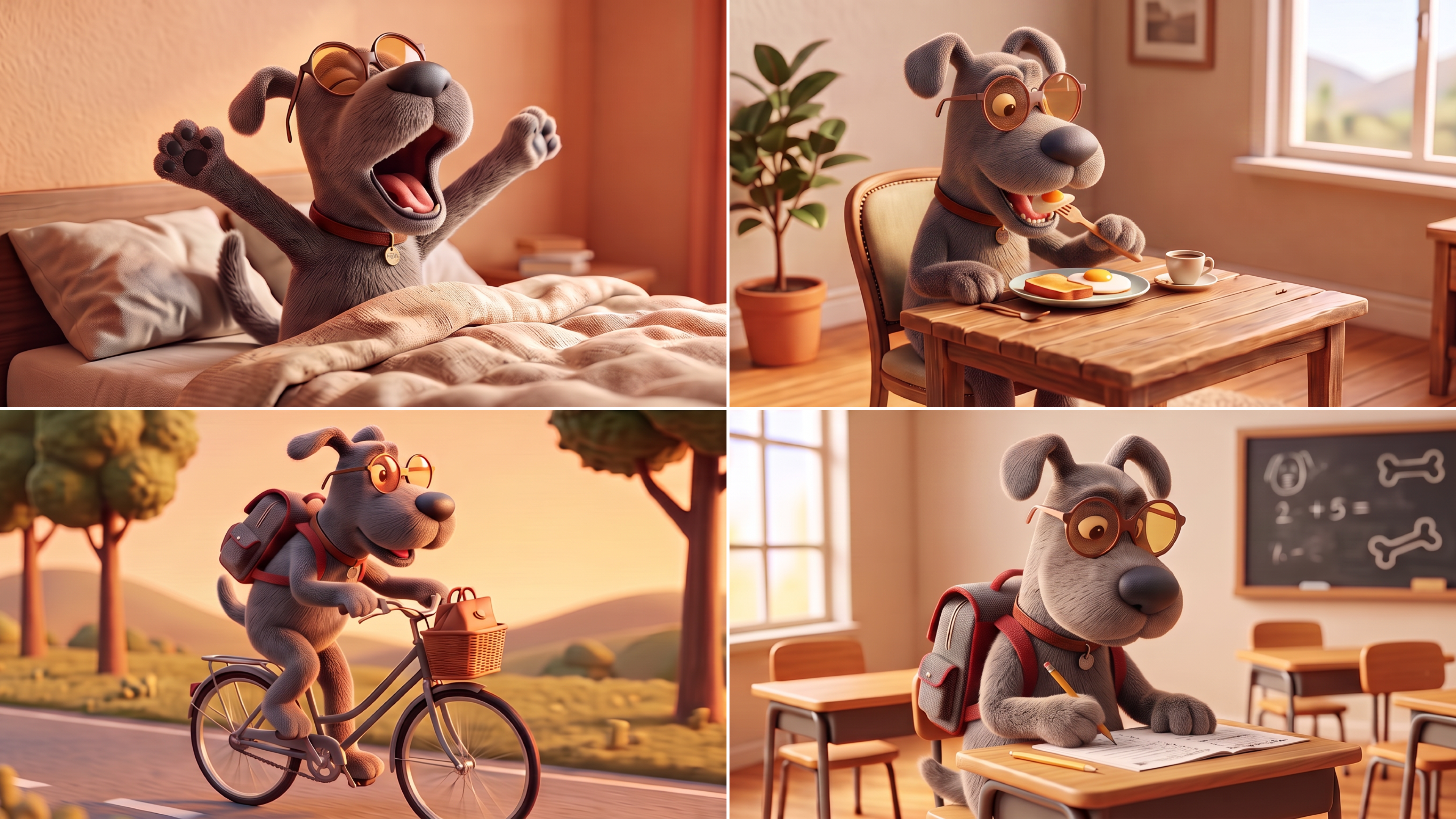
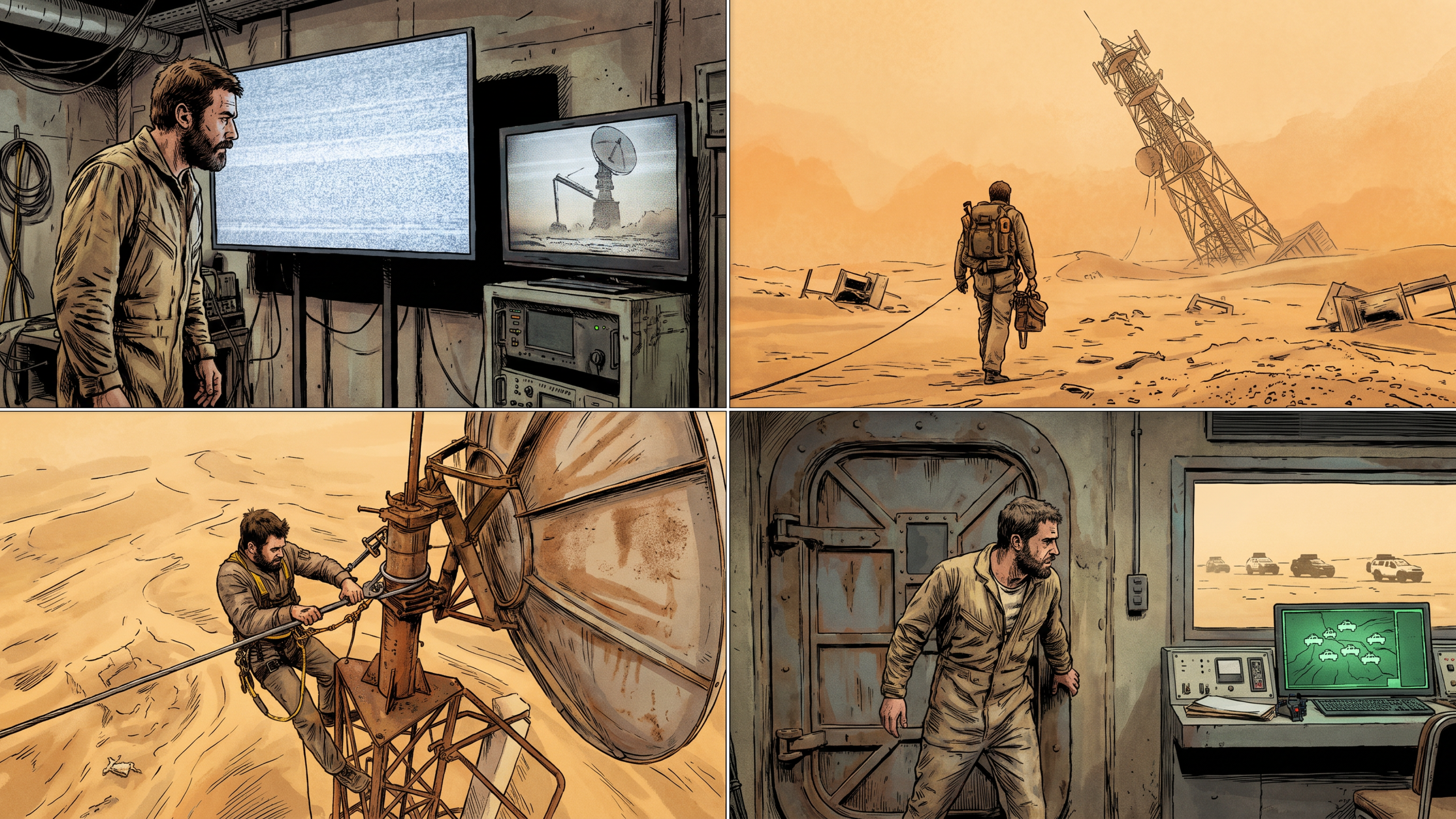
Series Mode generates up to 10 related images from a single prompt, helping you develop a scene as a sequence. You can number the images, describe what happens in each, and keep the character design and visual treatment common throughout.
It helps to decide what each output represents. One image might be a single panel ready to place on a page, while another task might call for a complete page with several panels. Describing that structure clearly gives your sequence a useful shape for the layout stage.
Give Every Panel Clear Visual Direction
A comic script often needs several instructions to work together: who is speaking, where each person stands, what changes between panels, and what stays the same. Kling Image 4.0 accepts prompts of up to 15,000 tokens, giving you room to describe those relationships in a detailed creative brief.
That space is useful for a shared character description followed by numbered panel notes. Each note can focus on a visible action, viewpoint, background, and exact dialogue. Separating what stays constant from what changes makes a longer brief easier to follow and to revise.
Make Dialogue Part of the Artwork
Dialogue, narration, and sound effects are essential parts of many comics. Kling Image 4.0 supports up to 2,000 characters of text in a single image, with improved small-text clarity and multilingual text rendering.
Choose from over 70 commercially licensed fonts or upload a font reference image to guide your lettering style. Specify the exact dialogue, speaker, speech bubble placement, narration boxes, and expressive sound effects to make text a natural part of your comic's visual storytelling. Review the generated lettering before publishing.
Create Detailed Comic Artwork in Native 8K
From delicate manga linework and expressive facial features to intricate costumes and richly illustrated backgrounds, Kling Image 4.0 supports native 8K image generation to bring out finer visual details. Enhanced lighting and textures also help create more lifelike scenes in realistic comic styles.
High-resolution artwork gives you greater flexibility to crop individual panels, refine page compositions, and prepare detailed comic covers or interior pages for print and digital reading.
How to Make a Comic Book with Kling AI
Once your script and page sketches are ready, you can use this three-step workflow to develop the artwork.
Step 1: Prepare Your Comic References
Open Image Generation and select Kling Image 4.0. Upload up to 10 reference images, such as character designs, settings, comic styles, or page layouts, to guide your artwork. If you don't have any reference materials, you can move directly to the next step and create your comic using text prompts.
Step 2: Describe the Panels and Their Connection
Write a prompt describing your characters, art style, panel layouts, actions, and dialogue. If you have uploaded references, specify how each should guide the artwork. Choose Default Mode for individual comic illustrations or pages, or Series Mode to generate up to 10 connected images. Describe the content and sequence of each image as needed.
Step 3: Generate and Refine Your Comic Artwork
Choose the aspect ratio, resolution (2K, 4K, or 8K), and number of images. Generate your comic artwork and review character consistency, panel layouts, reading order, and dialogue. Refine your prompts or references as needed, then download the images for final page assembly or publishing preparation.
Reference Image | Generated Image |
| 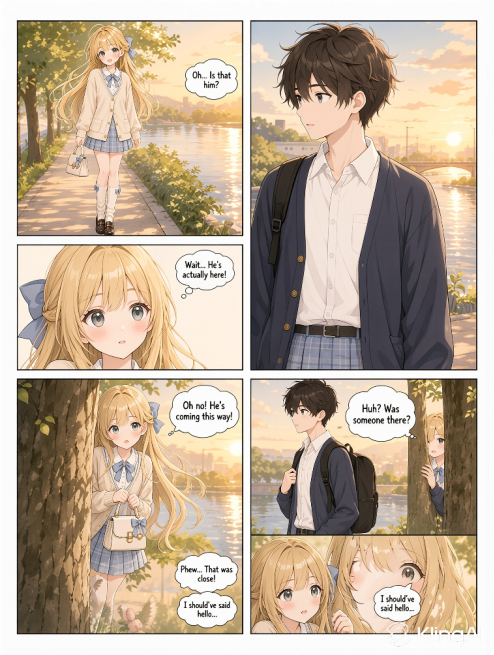 |
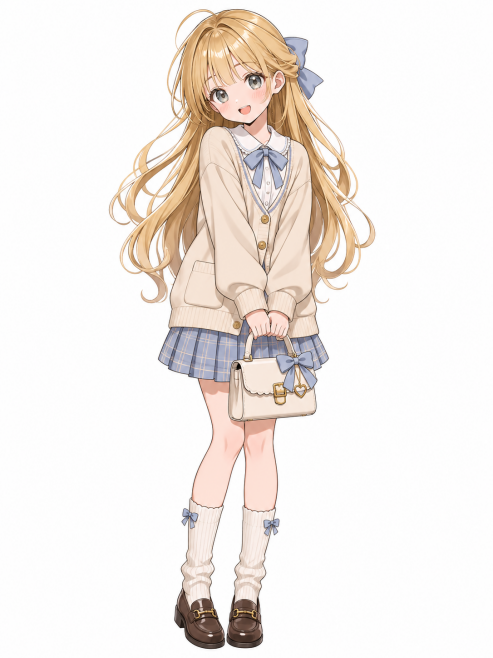
Prompt: Create a complete A4 portrait manga comic page using the uploaded image as the strict character reference for the female protagonist. Preserve her appearance consistently throughout: long flowing golden-blonde hair, large grey-blue eyes, muted blue hair ribbon, oversized cream cardigan, white blouse with a blue bow, blue plaid pleated skirt, cream slouch socks with blue bows, dark brown loafers, and a small cream handbag. The story takes place on a peaceful riverside walking path after school, during a warm golden afternoon. Create exactly six panels arranged in a clean 2-column, 3-row layout, with thin black borders, generous white gutters, and balanced A4 page margins. Panel 1: A wide establishing shot of the girl leisurely walking beside the river, enjoying the gentle breeze and warm sunlight. Panel 2: She notices a handsome boy approaching from the opposite direction. He has naturally tousled dark brown hair, a white school shirt, navy cardigan, and backpack. Her thought bubble reads: "Oh... Is that him?" Panel 3: A close-up of her surprised face, blushing slightly with widened eyes. Her thought bubble reads: "Wait... He's actually here!" Panel 4: She quickly hides behind a large riverside tree, clutching her handbag nervously. Her speech bubble reads: "Oh no! He's coming this way!" Panel 5: The boy walks past the tree and briefly turns around with a curious expression. His speech bubble reads: "Huh? Was someone there?" The girl secretly peeks out from behind the tree. Panel 6: The boy walks away in the background while the girl cautiously emerges, blushing with one hand on her chest. Her thought bubbles read: "Phew... That was close!" and "I should've said hello..." Use a charming Japanese romantic slice-of-life manga aesthetic, with clean expressive outlines, smooth pastel coloring, warm golden lighting, delicate cel shading, natural facial expressions, and elegant flowing hair. Avoid excessively detailed strokes, scratchy textures, heavy shadows, overly glossy coloring, or artificial AI aesthetics. Keep character designs consistent, use varied cinematic camera angles, and ensure all English dialogue is accurately rendered and legible. | |
Finish, Letter, and Publish Your Comic
As you learn how to make comics, it helps to look at the pages as one piece of work. This is where drawings, words, and the spaces between them find a common rhythm.
Bring the Linework and Colors Together
For hand-drawn pages, the pencil stage sets the shapes and poses; inking gives them clear edges and varied line weight. Flat colors establish the palette, with shadows and highlights adding form. A small set of recurring colors helps the story feel connected.
With AI image generation models like Kling Image 4.0 that offer AI cartoon generator capabilities, you can specify linework, color palettes, shading, and other visual details to establish a consistent comic style. Comparing pages side by side makes it easier to identify inconsistencies in colors, backgrounds, or line weight. You can then use Kling AI's AI image editing capabilities to refine specific visual details without recreating the entire comic page from scratch.
Arrange the Panels and Refine the Lettering
Your page layout brings the chosen images back to the thumbnails. Larger panels can give a moment more space, while smaller panels can quicken a sequence. Cropping works best when the important gesture, expression, and background information remain visible.
Speech bubbles need a clear speaker and an easy reading path. Their placement can guide the eye from one panel to the next, with comfortable space around the lettering. Looking at each page at the size people will read it helps you judge the balance.
Create a Cover That Belongs to the Story
Your cover is an invitation into the story. A strong expression, a meaningful setting, or a recurring shape can connect it to the pages inside. With the AI art generator, you can develop a cover illustration using the character references and visual direction already established.
Giving the title a clear place early helps the artwork and lettering fit together. Consistent colors and type treatment make the cover feel like the opening of the same world.
Prepare Your Comic for Print or Digital Reading
For digital reading, the platform's page dimensions and file requirements shape the export. Crisp lettering, a clear page order, and a comfortable view on the intended screen make the story easier to enjoy.
For print, the printer's specifications guide the trim size, bleed, margins, color settings, and resolution at the final size. A proof copy lets you see how the cover, gutters, and smaller text feel on paper before ordering more copies. Then your short story is ready to meet its readers.
The End
Learning how to make a comic book starts with a story you want to tell. With Kling Image 4.0, you can create consistent characters, connected comic panels, expressive dialogue, and detailed artwork, bringing your ideas from an initial concept to finished comic pages more efficiently.
Beyond comic books, Kling AI can also help you create character illustrations, storyboards, book covers, and other visual storytelling projects.
FAQs
Are Comic Books Hard to Make?
Making a comic book becomes manageable with a short story and simple page layouts. The challenge is bringing writing, pictures, and reading order together. AI image generation helps with the artwork, while your script and thumbnails keep the story moving.
How to Create a Comic Book Without Drawing Skills?
You can create a comic book without advanced drawing skills by starting with a script and simple page sketches. With Kling Image 4.0, you can turn text descriptions and optional reference images into comic characters, individual panels, or complete comic pages. Review the artwork and dialogue, then arrange the finished pages for digital reading or printing.
Can Comics Have No Words?
Yes, comics can tell a complete story without words. Silent comics use expressions, gestures, framing, and image order to carry meaning. When generating panels with AI, describing the visible change between moments helps the sequence communicate clearly without speech bubbles or narration.
How Can I Keep Characters Consistent Across AI Comic Panels?
You can support character consistency by reusing reference images and descriptions of defining features. In Kling Image 4.0, references guide appearance while Series Mode develops related images. Keeping clothing, props, and drawing style consistent gives each panel a familiar starting point.
How Is Making Manga Different from Making a Comic Book?
Manga is a form of comic, with conventions shaped by the audience and format. Learning how to make a manga for right-to-left reading means planning that direction into panels and dialogue. AI prompts can describe the layout, drawing style, and lettering.