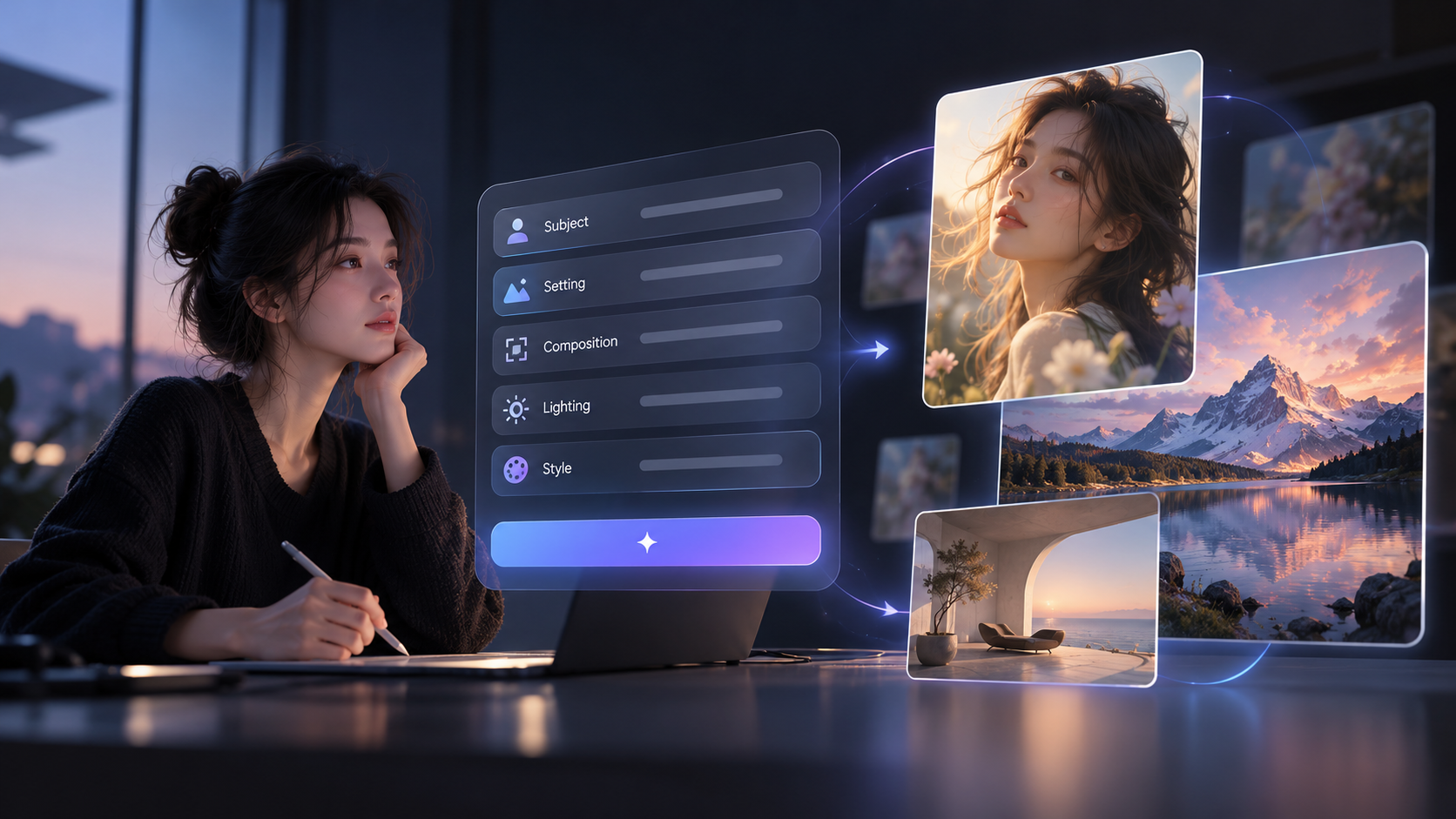
Kling Image 4.0: Create Lifelike Images in Native 8K

Generate native 8K images with photorealistic detail, expressive typography, and detailed prompt control. Create product visuals, storyboards, and consistent image sets with Kling Image 4.0.

What You Can Create with Kling Image 4.0

With Kling Image 4.0, you can shape complex compositions, legible typography, and cinematic color tones through detailed prompts. Generate native 8K images and coherent image sequences with realistic textures and consistent visual details.

Capture Photographic Detail in Native 8K

Capture Photographic Detail in Native 8K

Kling Image 4.0 creates lifelike images with natural lighting, subtle expressions, and realistic textures. From portraits to product photography, native 8K resolution brings out fine details in skin, fabrics, and materials. Explore close-ups, crop your compositions, and prepare high-resolution visuals while preserving rich photographic detail.

Create Clear Text and Creative Typography

Create Clear Text and Creative Typography

Design posters, product graphics, and promotional materials with readable text and expressive typography. Kling Image 4.0 supports up to 2,000 characters of text in a single image, including smaller labels and multi-section layouts. Choose from 70+ commercially licensed fonts or upload a font reference image to guide your lettering and style. Create designs with text in multiple languages for different audiences.

Guide Complex Compositions with Detailed Prompts

Guide Complex Compositions with Detailed Prompts

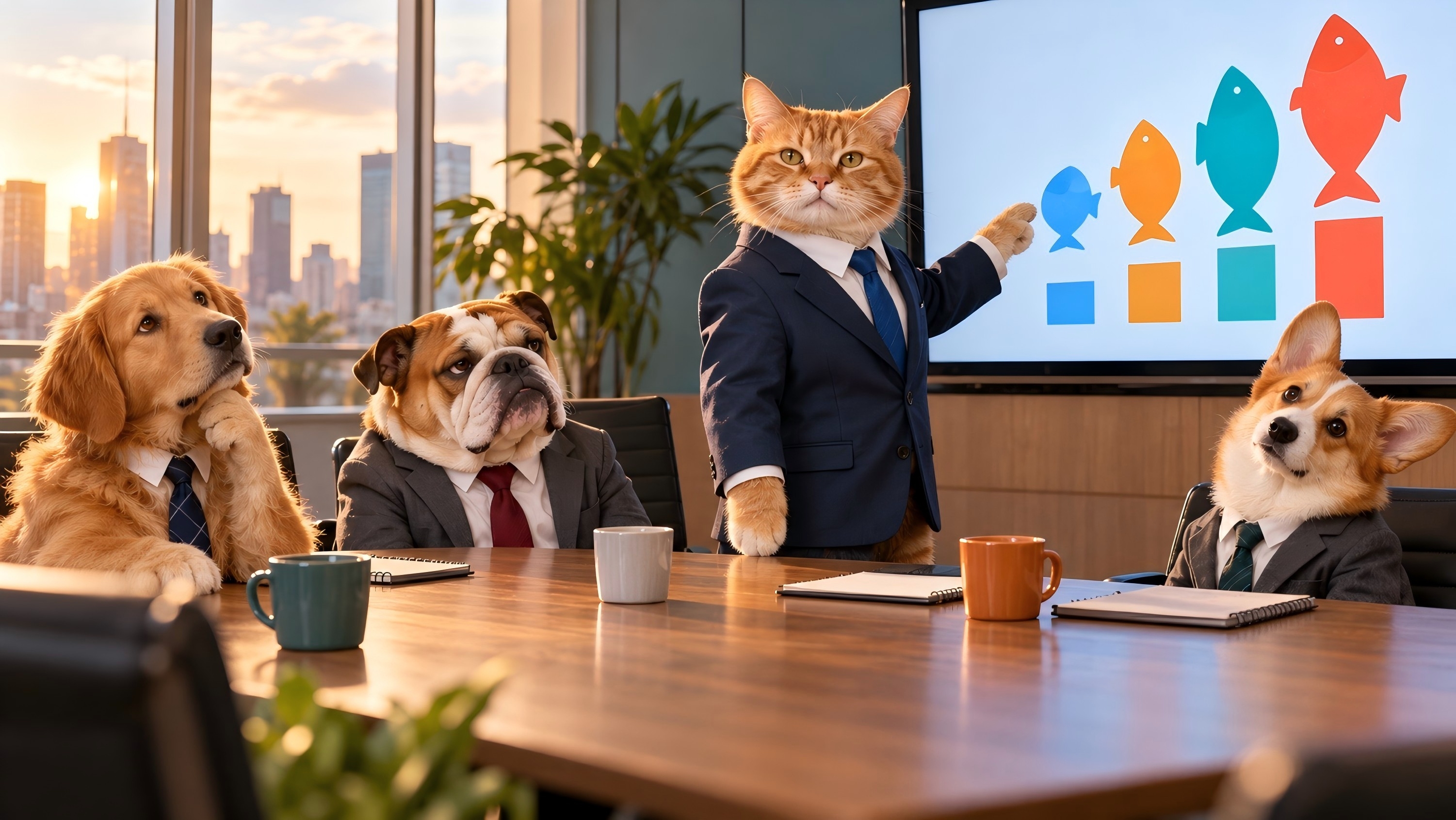
Kling Image 4.0 interprets layered instructions with up to 15,000 tokens of prompt input, helping you define subjects, attributes, composition, and fine details in one creative brief. You can specify how several objects relate in size, placement, and depth, then combine written instructions with reference images to guide the arrangement. Clear spatial relationships and visual hierarchy help complex scenes follow your intended structure more closely.

Design Product Pages

Keep Characters and Products Recognizable

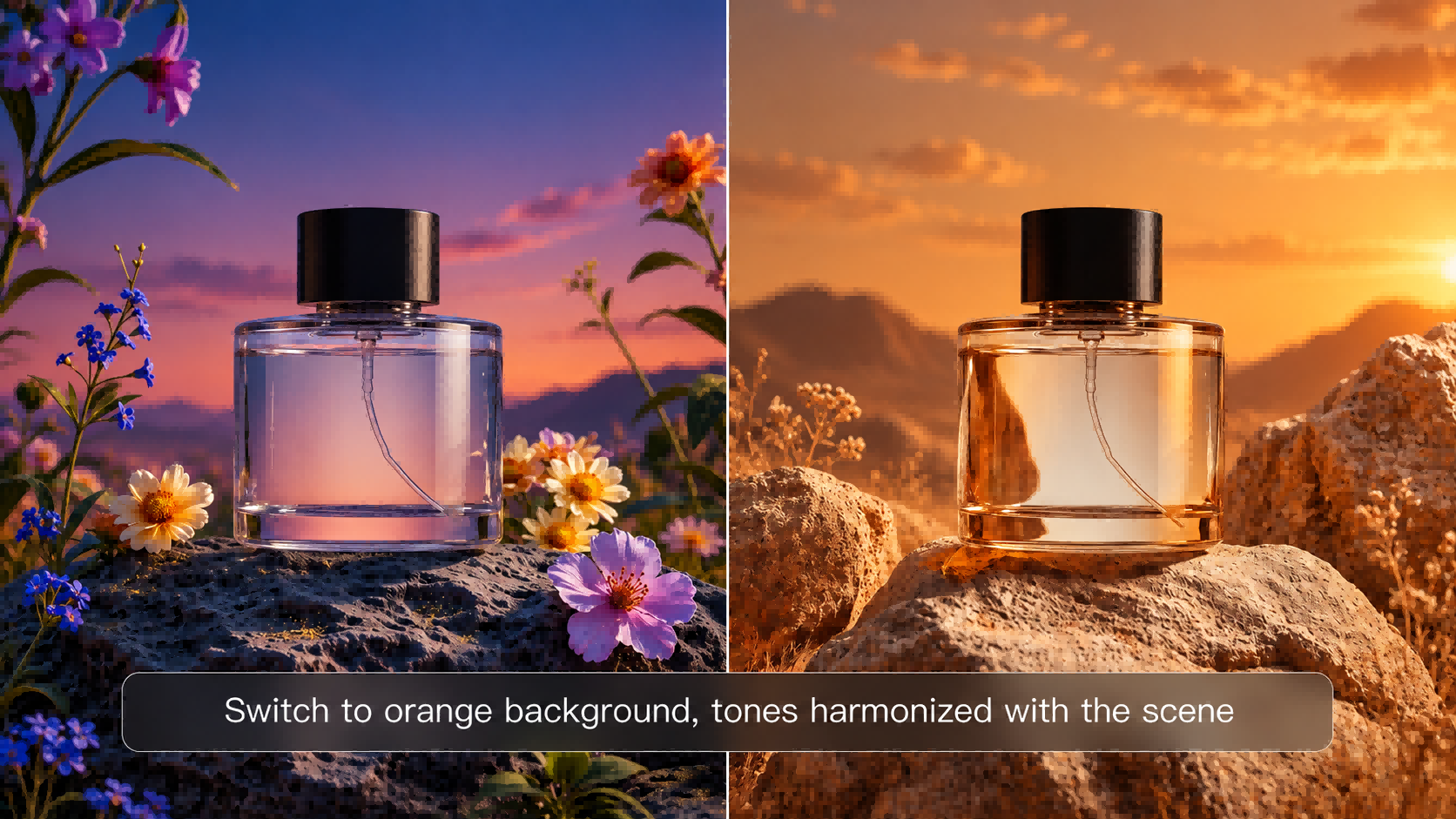
Carry a character’s facial features, outfit, and props into a new scene, or show a product from a new angle while retaining its shape, materials, and logo. Upload up to 10 reference images and specify which details to draw from each. Use those references to guide the subject’s appearance, composition, and style across the new images.

Design Long-Form Product Graphics

Design Long-Form Product Graphics

Turn one brief into a long-form product detail graphic or a branded webpage mockup. Describe the product, its main selling points, and the brand style you want. Lead with a hero product shot, then guide shoppers through key features, close-ups, and supporting copy in a single layout that flows as they scroll.

Create a Series from One Prompt

Create a Series from One Prompt

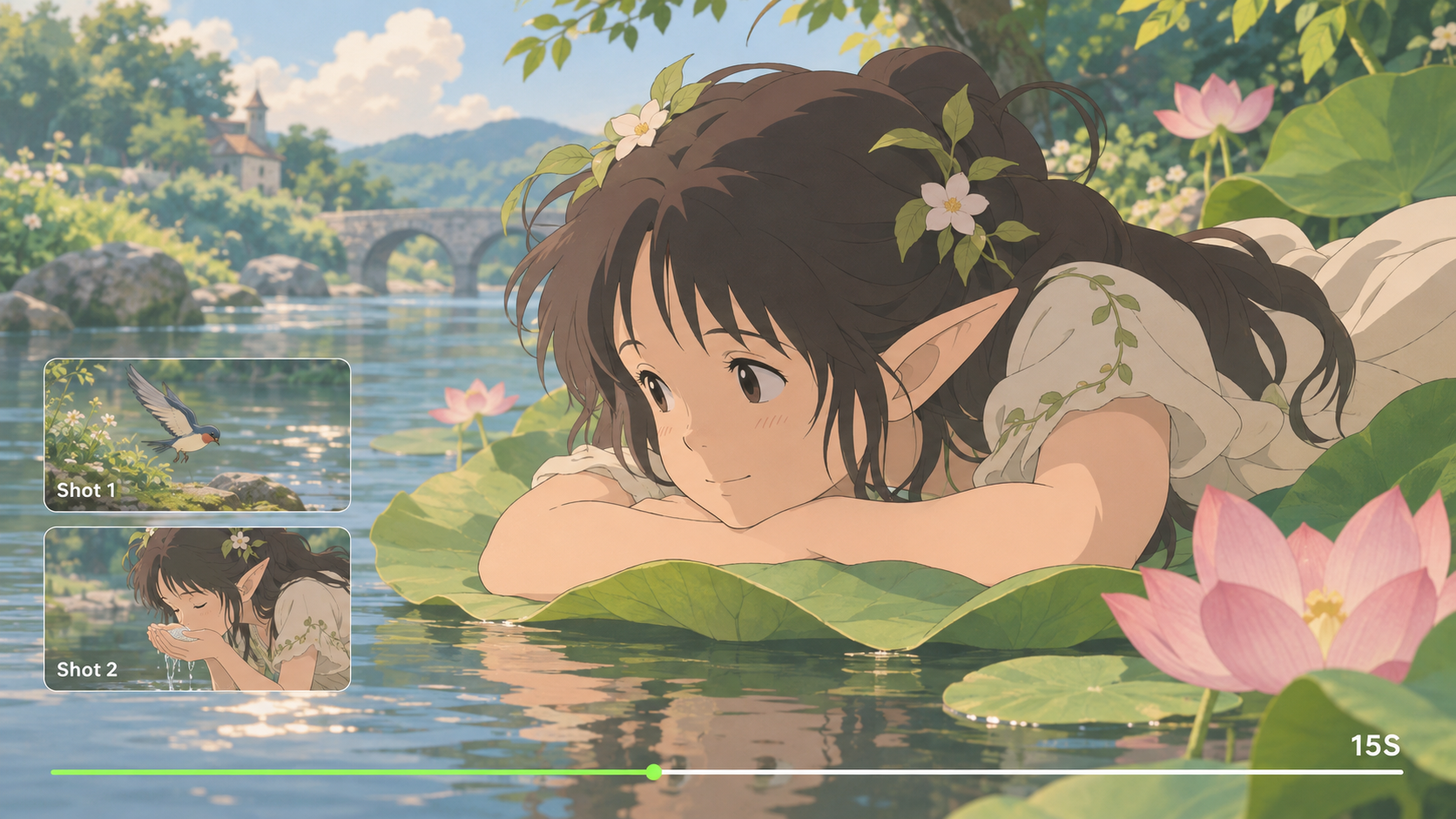
Use Series Mode to generate up to 10 related images from a single prompt, with consistent characters, products, and visual styles. Plan cinematic storyboards with different shots and camera angles, or create coordinated product images featuring multiple views and key selling points. Build a complete visual series without starting every image from scratch.

How to Create Images with Kling Image 4.0

Step 1: Write Your Prompt

Step 1: Write Your Prompt

Open Image Generation and select Kling Image 4.0. Describe what you want to create, including the subject, setting, composition, lighting, and style. Add specific instructions for any text or visual details you want in your image.

Step 2: Add References (Optional)

Step 2: Add References (Optional)

Upload up to 10 reference images to guide characters, products, composition, or style. For designs with text, choose from 70+ fonts or upload a font reference image.

Step 3: Generate Your Image

Step 3: Generate Your Image

Choose your aspect ratio and resolution, from 2K to native 8K, then click Generate. Once you're happy with the results, download your images for your creative projects.

What Our Creators Say?

Déborah

Déborah

I use Kling AI every day. It's amazing to see the almost daily progress it makes. I used AI for fun at first, and I now find that Kling AI's animations allow me to gain professional visibility, with three times more views on my animated posts than on my static posts.

KakuDrop

KakuDrop

I have successfully collaborated with world-renowned artists and well-known companies that are recognized globally

Jyo John Mulloor

Jyo John Mulloor

Kling AI has been instrumental in transforming my creative workflow, unlocking new dimensions of artistic expression that were once unimaginable. I use Kling AI extensively to develop high-concept visuals, animate surreal dreamscapes, and create AI-assisted films that blur the line between reality and fantasy. Kling AI's deep learning capabilities have not only enhanced my creative efficiency but also inspired me to explore storytelling in ways I never thought possible.

60M+ Users
60M+
Users
600M+ AI Videos Generated
600M+
AI Videos Generated
4.7 star App Store
4.7 ★
App Store
Industry-Leading Cinematic 4K
Industry-Leading
Cinematic 4K

More AI Creation tools

More Features

Learn More about AI Image Generation

FAQ about Kling Image 4.0

Q1What is Kling Image 4.0?
Q2How realistic are images generated with Kling Image 4.0?
Q3What image resolutions does Kling Image 4.0 support?
Q4Can Kling Image 4.0 accurately follow complex prompts with multiple subjects?
Q5Can Kling Image 4.0 generate text inside images?
Q6Can Kling Image 4.0 generate a consistent image series from one prompt?
Q7How can I maintain visual consistency across images with Kling Image 4.0?
Q8What can I create with Kling Image 4.0?

Explore Professional Image Creation

Turn detailed prompts and visual references into realistic 8K images, creative typography, and consistent image sets. Explore the possibilities of Kling Image 4.0.

Native 8K | 15,000-Token Input | 70+ Preset Fonts